
Circle One compatibility: scanners, mills and 3D printers.
Any scanner. Any mill. Any printer. Partner equipment connects in one click; the rest works with open file formats. Connect your scanner
- Open file formats
- 1-click partners
- No closed system
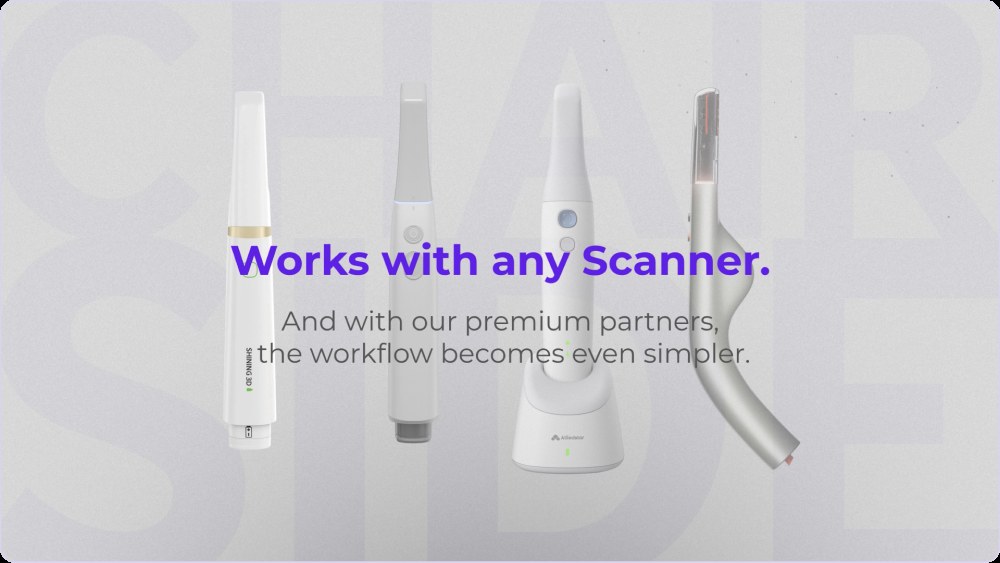
Is Circle One compatible with my scanner and my machine?
Yes. Circle One is open: partner scanners send cases in one click, and any other intraoral scanner works by exporting STL, PLY files. On the manufacturing side, files go to your mill or 3D printer, and OneClick Manufacturing opens the CAM software of partner machines.
Read About One Click ManufacturingYour equipment, at a glance
Updated November 2026. Your model is not listed? Ask us.
Three ways in, one workflow
From partner scanners
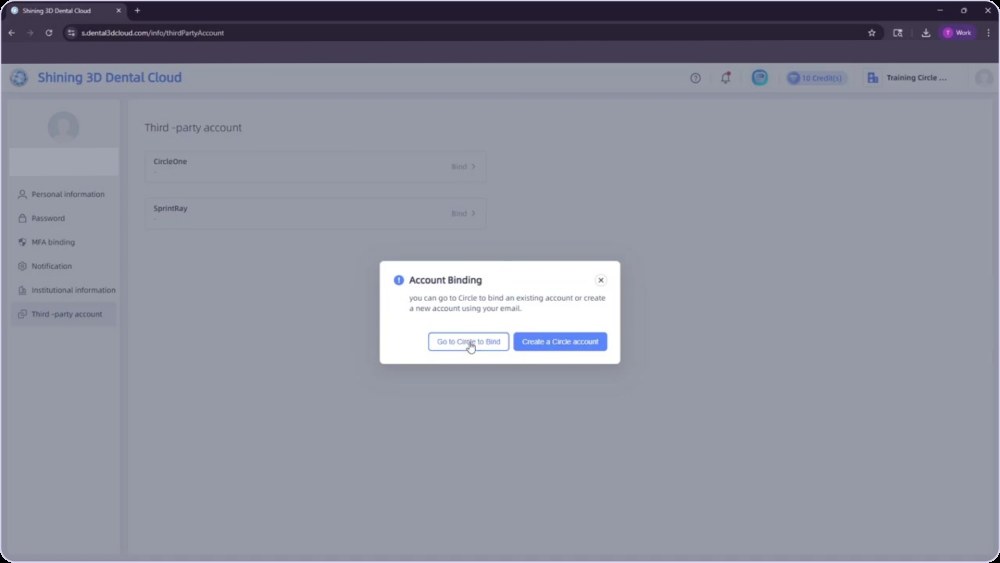
Pair your scanner account once. Cases arrive in Circle One with the patient reference. Connect your scanner
Manual import
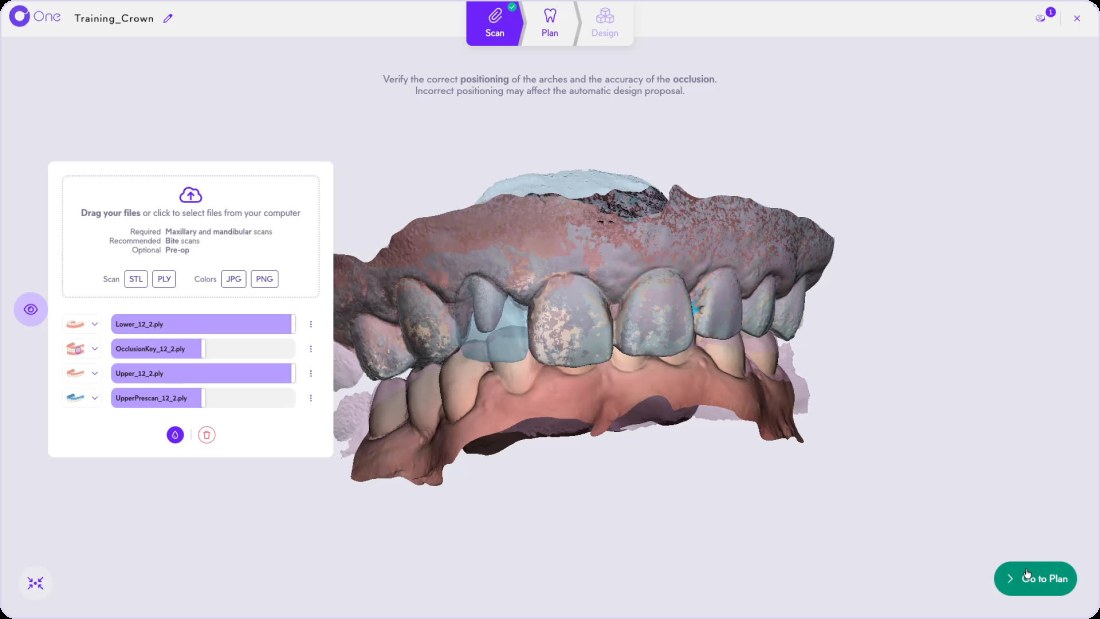
Drag and drop STL or PLY files. Maxillary and mandibular required, bite recommended, pre-op optional.
To your machine
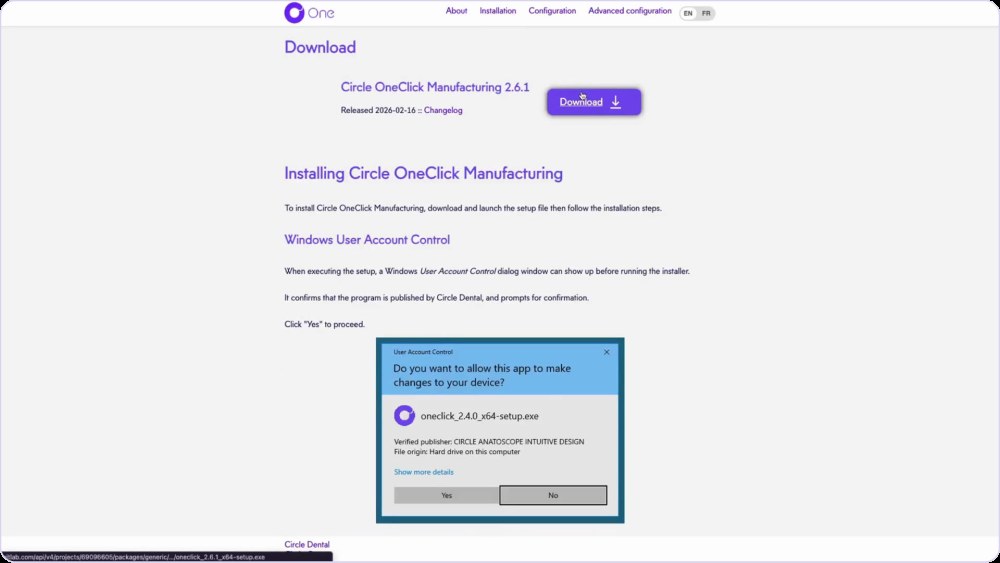
Install OneClick Manufacturing once. Production files open in your CAM software, with no manual import.
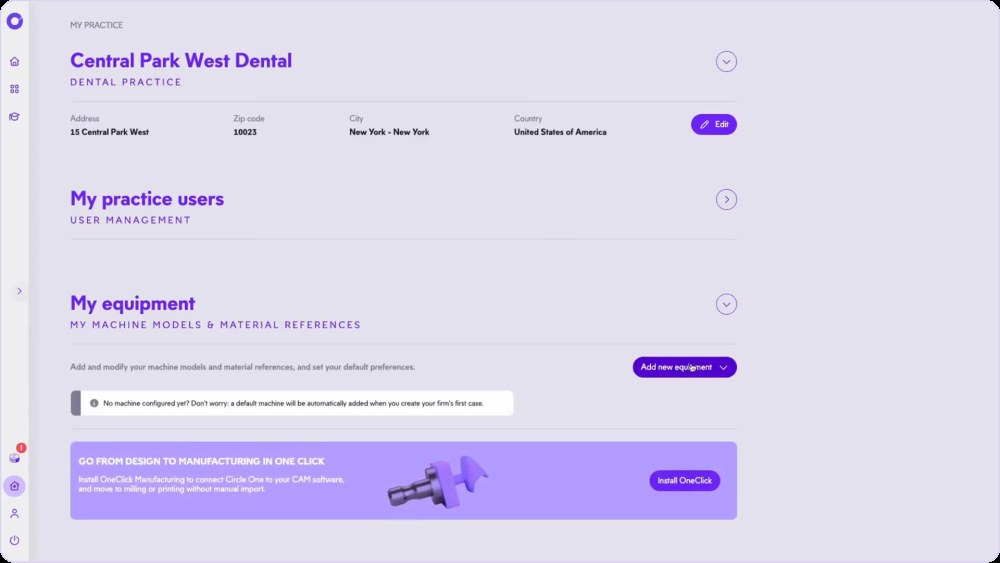
Set up your machines once
In My practice, add your machine models and material references, and set your defaults. Circle One then generates files tailored to them.
- Machine models and material references
- Default preferences per practice
- Install OneClick from the same page
Connect your equipment, step by step
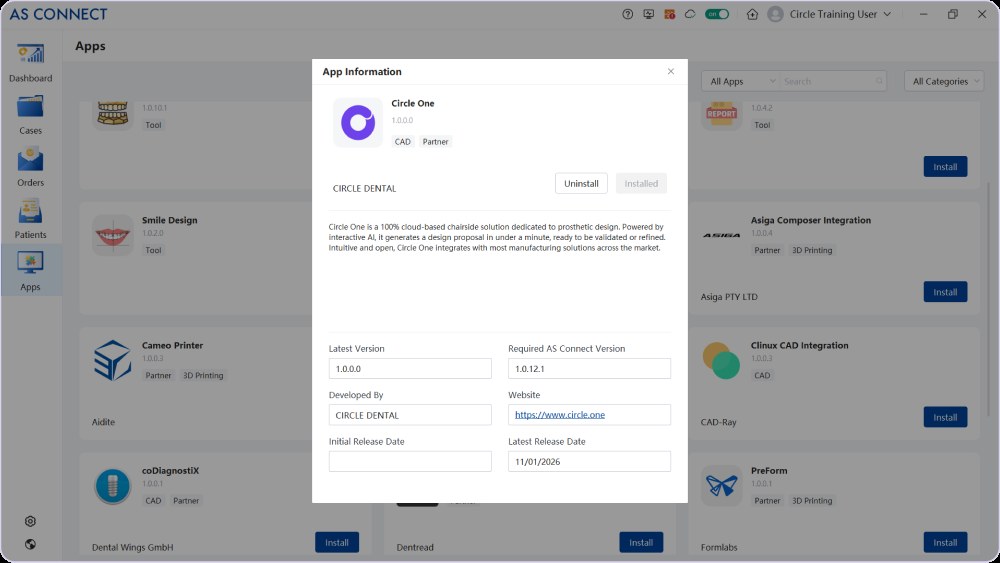
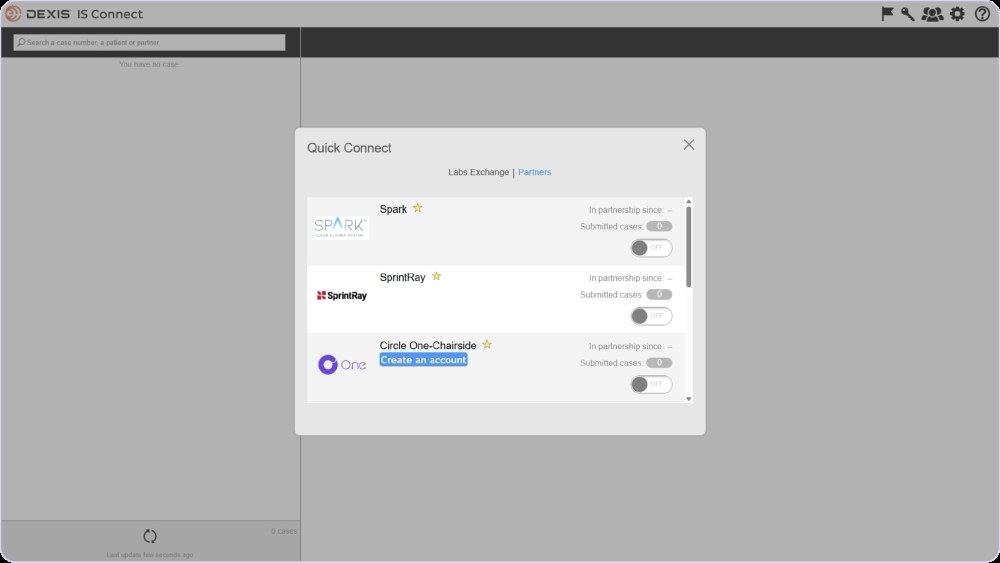
Compatibility FAQ
My scanner is not a partner. Can I still use Circle One?
Yes. Export STL or PLY files from your scanner software and drop them into a new case. Manual import
Which file formats can I import?
STL and PLY. Add the maxillary and mandibular scans, the bite scans, and a pre-op scan if you have one.
Does Circle One work with my mill or 3D printer?
Circle One generates files for the machine and material set up in your practice. OneClick Manufacturing connects partner machines in one click.
Do I need to install anything?
No for the design: Circle One runs in your browser. OneClick Manufacturing is a small app installed once to send files to your machine. System requirements
Keep your equipment. Add the design.
Create your account in a few clicks. 5 credits for $25, no subscription.
1 credit = 1 prosthetic tooth · No subscription · ISO 13485
*Average adjustment time after the automatic design proposal, measured in internal tests.
The whole chairside workflow
Keep your equipment, add the design
Create your account


