
Smart tools: refine any proposal in three levels.
Global for the whole tooth, Regional for an area, Local for the surface. Every change stays smooth, with the minimum thickness in view. Collaborative AI
- No CAD expertise needed
- Sliders and brushes
- Real-time preview
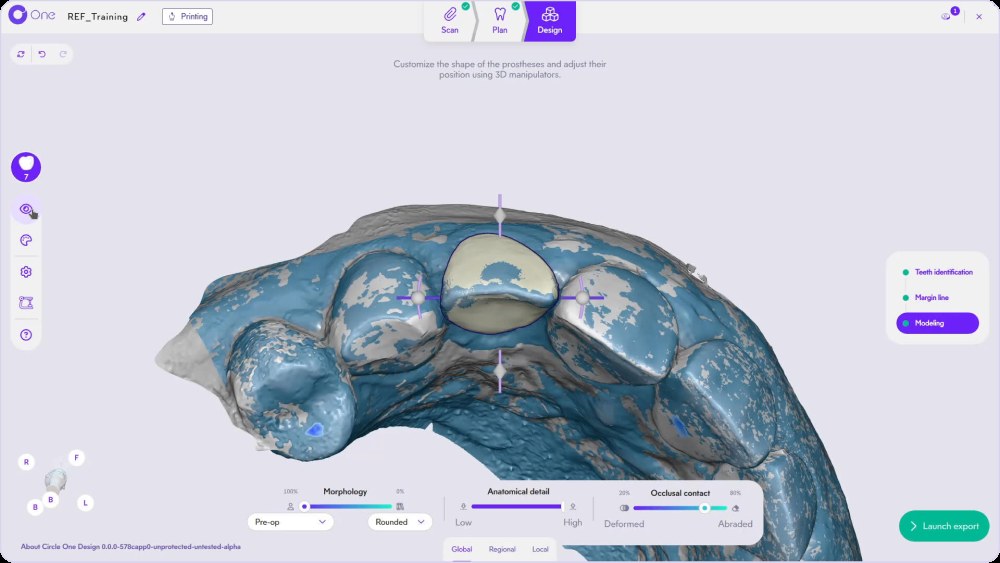
What are smart tools in Circle One?
Smart tools are the controls you use to refine the automatic proposal, from the overall shape down to a single point on the surface. They work in three levels, Global, Regional and Local, and Collaborative AI keeps each change smooth while respecting your manufacturing constraints.
Read Smart Tools Global in the Help CenterFrom the whole tooth to a single point
Global, the whole tooth
Set the base shape and the overall position. Smart Tools Global
- Morphology: patient data or library
- Anatomical detail: smooth to marked
- Occlusal contacts: deformed to abraded
- Manipulators: move, rotate, scale
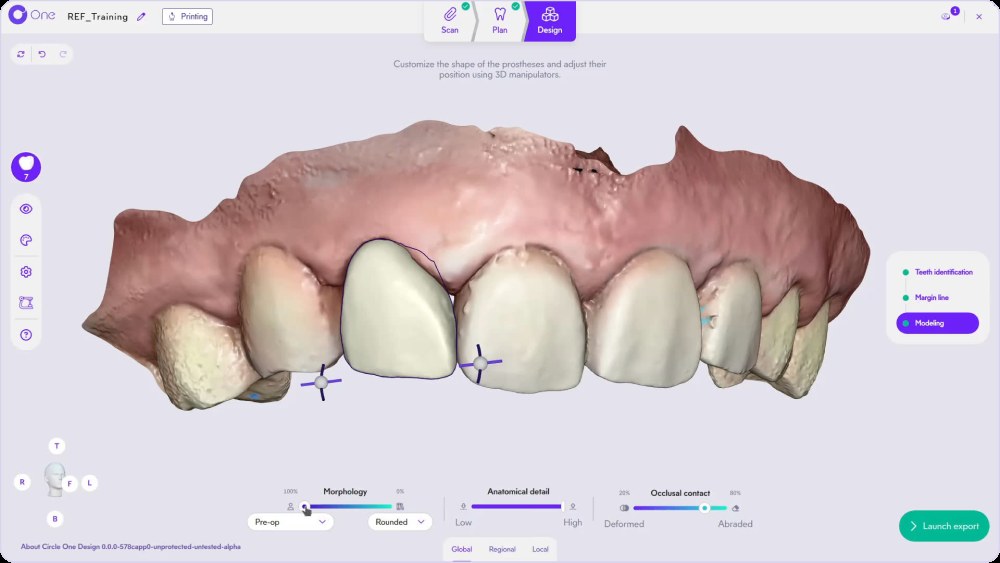
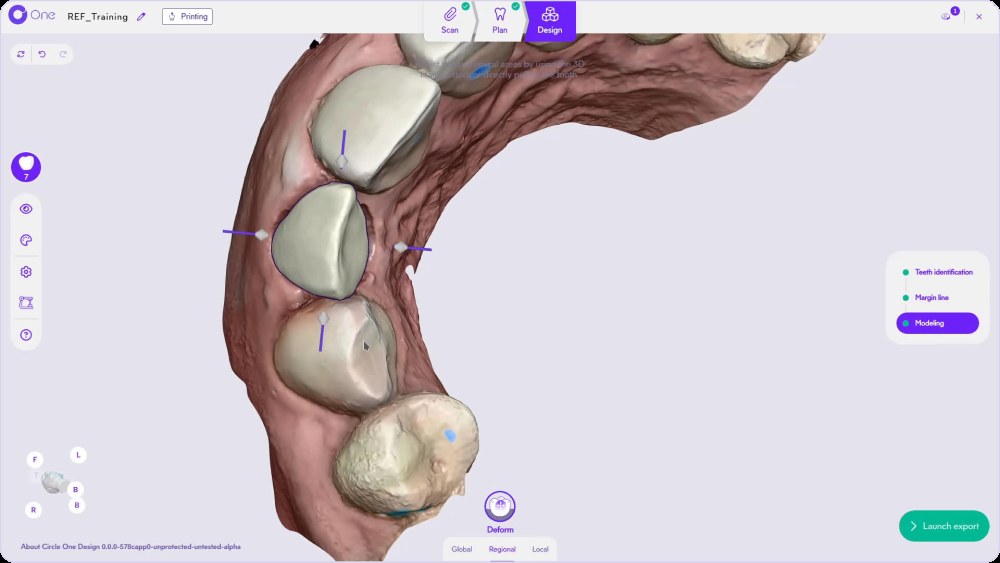
Regional, one area
Shape a specific area without touching the rest. Smart Tools Regional
- Emergence profile: mesial, distal, buccal, lingual
- Deform: move an area, a cusp for example
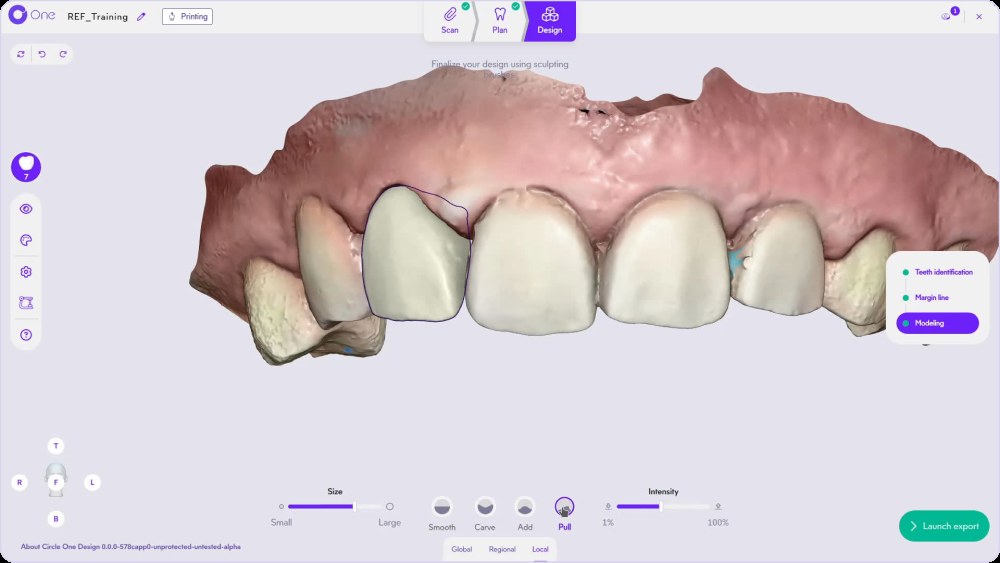
Local, the surface
Finish point by point with sculpting brushes. Smart Tools Local
- Smooth, Carve, Add
- Pull: move an anatomical area
- Brush size and intensity
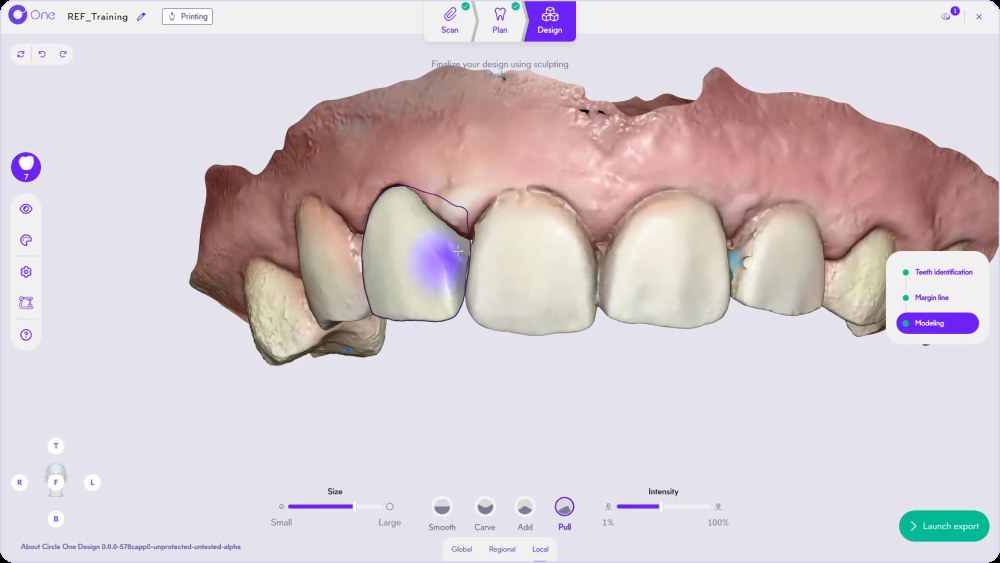
It proposes. You decide.
Every slider and brush stays under your control. With each refinement, elastic deformation keeps the surface smooth, and the minimum thickness zones stay displayed while you work.
- Changes previewed in real time
- Minimum thickness shown while brushing
- Undo and redo at every step
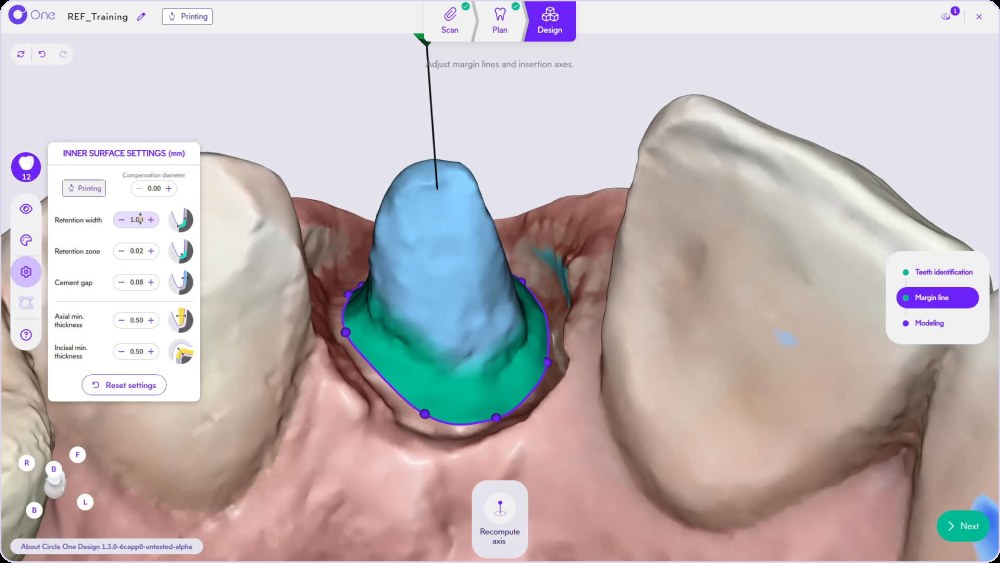
Inner and outer surface, set once
Retention zone and width, cement gap, axial and incisal minimum thickness, compensation diameter for your tool. Save them in your profile and they apply to every case.
- Inner surface: retention, cement gap, thickness
- Outer surface: contacts with antagonist and proximal teeth
- Saved in My design preferences
One demo per level
Smart tools · Global
Smart tools · Regional
Smart tools · Local
Configure your profile: Help Center · Copy a tooth: 3 methods
Smart tools FAQ
Do I need CAD experience to use the smart tools?
No. They work with sliders, manipulators and brushes, and every change is previewed in real time.
Can I refine the design the way I want?
Yes. Refine it as you wish: start from the pre-op scan, the symmetric tooth or the proximal teeth, blend with a standard library, then adjust with the Regional and Local tools. Copy a tooth
How do I avoid areas that are too thin?
The minimum thickness zones are displayed while you refine, based on your surface settings.
Where do I find the shortcuts?
Click Help in the Design step to display all the available shortcuts.
Refine your first proposal today.
Create your account in a few clicks. 5 credits for $25, no subscription.
1 credit = 1 prosthetic tooth · No subscription · ISO 13485
*Average adjustment time after the automatic design proposal, measured in internal tests.
The whole chairside workflow
Refine your first proposal in under a minute*
Create your account


