
Copy a tooth in your prosthesis design: 3 methods.
Start the design from the pre-op scan, the opposite tooth or the proximal teeth. Circle One uses it as the base shape, then you refine with the smart tools.
- Same price, 1 credit
- Crowns and veneers
- In your browser
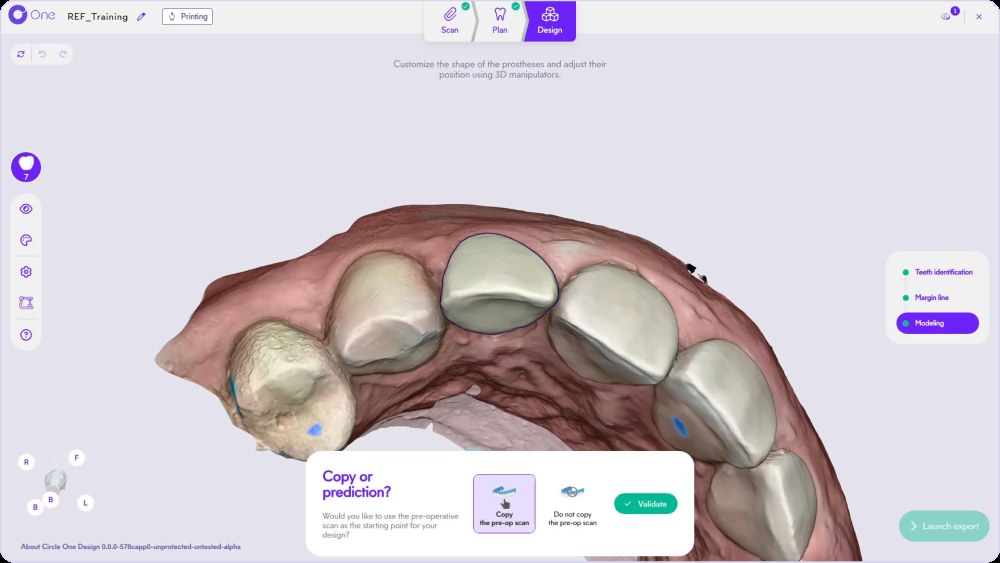
How do you copy a tooth in dental CAD?
You give the software a reference shape: the patient’s own tooth before preparation (pre-op scan), the symmetric tooth on the other side of the arch, or the proximal teeth. In Circle One, you pick the source in the Morphology menu and the proposal starts from it.
Read the Modeling step in the Help CenterWhich copy method for which case?
Copy the pre-op scan
Scan the tooth before you prepare it. When the proposal opens, Circle One asks: Copy or prediction? Choose Copy to keep the original morphology.
- Tooth intact before the prep
- Replacing a crown with a good shape
- Keeping the patient’s anatomy
Copy the opposite tooth
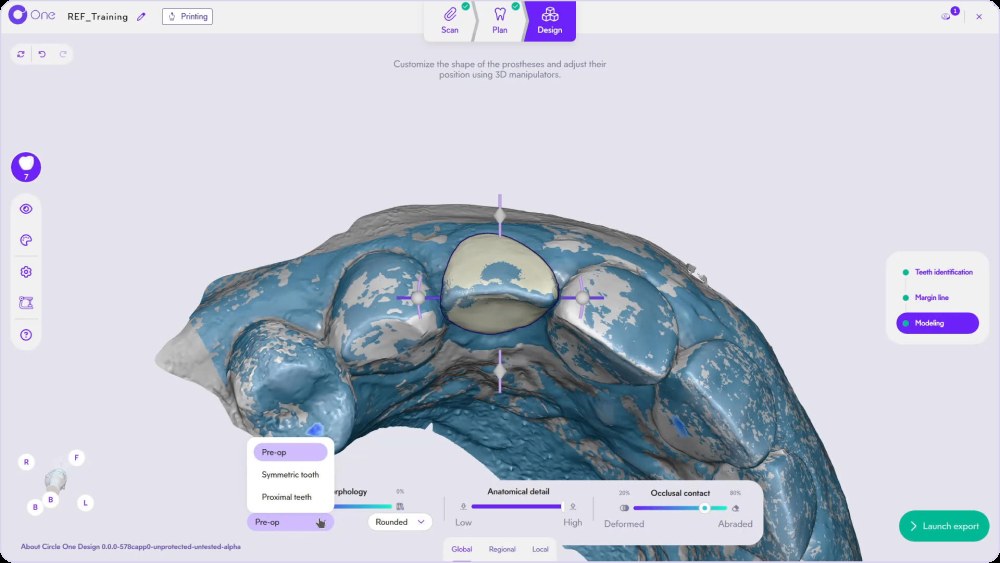
Pick Symmetric tooth in the Morphology menu. The shape of the contralateral tooth is mirrored onto the prep.
- Anterior teeth
- No usable pre-op scan
- Symmetry of the smile
Copy from proximal teeth
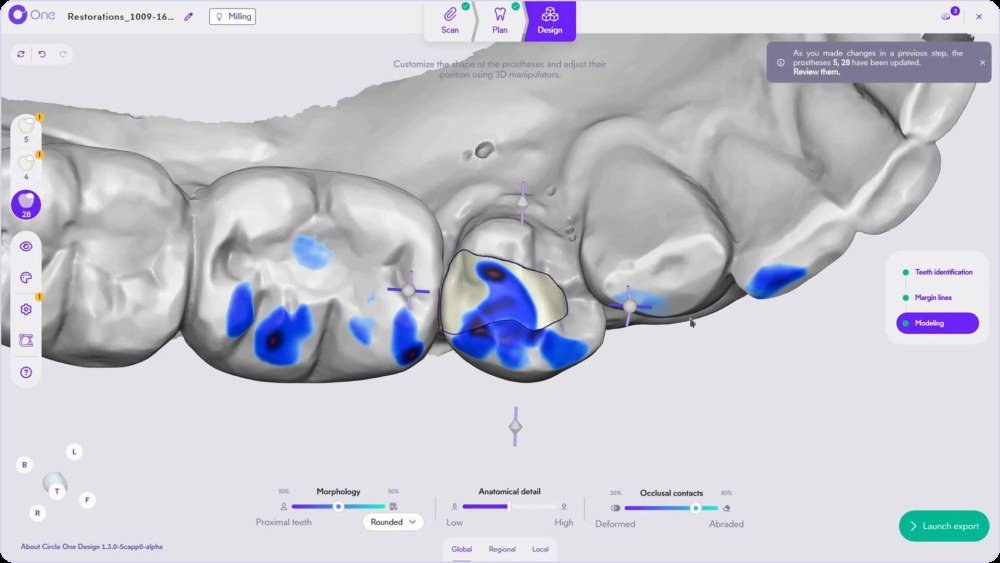
Pick Proximal teeth. The proposal follows the shape of the neighboring teeth.
- Posterior teeth
- Opposite tooth missing or treated
- Harmony with the segment
Choose your method in 10 seconds
How to copy a tooth in Circle One
- 1
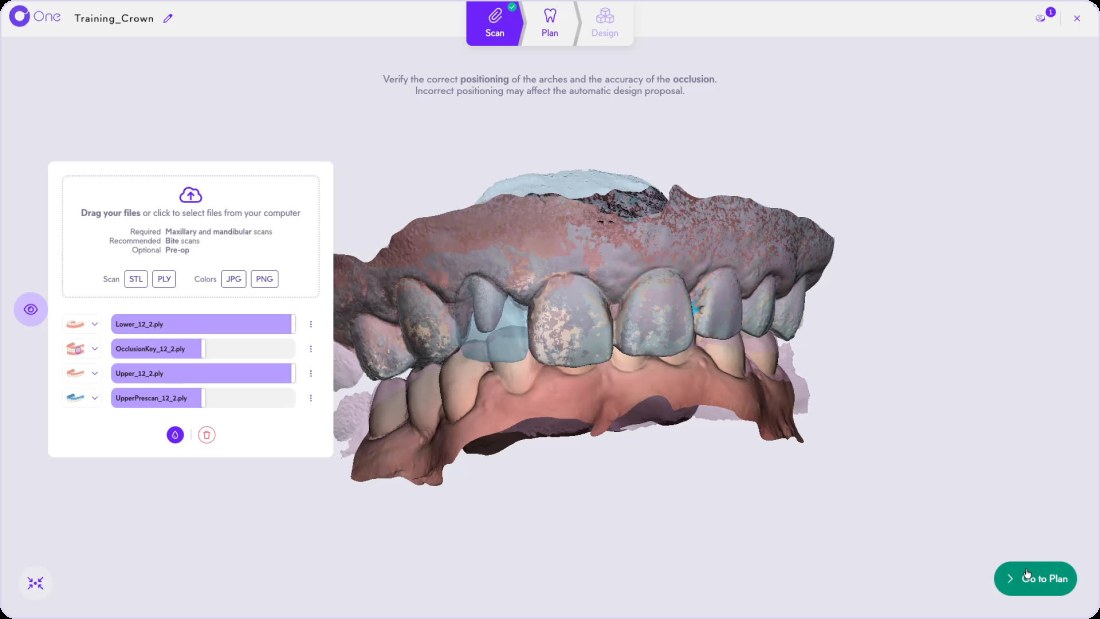
Add the pre-op scan (optional)
In the Scan step, drop the pre-op scan with the maxillary, mandibular and bite scans. One pre-op scan per arch. Scan control
- 2
Answer Copy or prediction
When the proposal opens, choose Copy the pre-op scan, or Do not copy for a calculated proposal.
- 3
Change the source in Morphology
In Global, open the Morphology menu: Pre-op, Symmetric tooth or Proximal teeth.
- 4
Blend with a standard library
Move the Morphology slider between patient data and a standard shape: rounded, cusped, oval, triangular or square.
TipEvery combination is possible: 50% patient data, 50% library, for example.
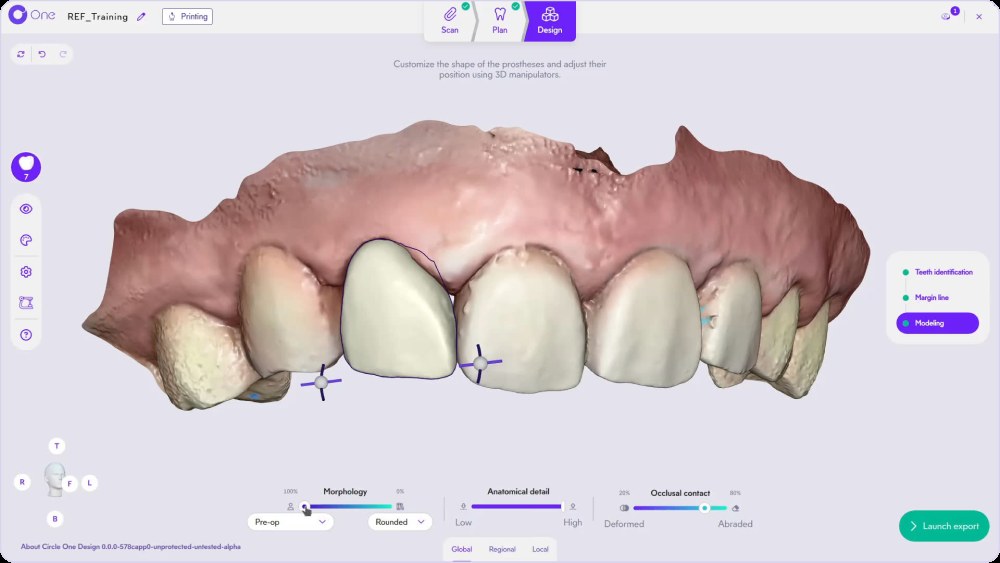
See the Modeling step in action
Nearest demo available. A dedicated tooth copy demo is planned.
Go further: Crown design, step by step · Veneer design
Tooth copy FAQ
What is a pre-op scan?
A scan of the tooth before the preparation. It records the original shape so the software can copy it.
Can I copy the opposite tooth on molars?
Symmetric tooth copy is designed for anterior teeth, where symmetry matters most. For posterior teeth, the proximal teeth are usually the better source.
What if the copied shape needs changes?
Refine it like any proposal: Morphology, Anatomical detail, Occlusal contacts, then the Regional and Local tools. Smart tools
Does copying a tooth cost extra?
No. Each prosthesis uses 1 Circle Credit, whatever the method. Circle Credits
Start from the tooth you already have.
Create your account in a few clicks. 5 credits for $25, no subscription.
1 credit = 1 prosthetic tooth · No subscription · ISO 13485
*Average adjustment time after the automatic design proposal, measured in internal tests.
The whole chairside workflow
Start from the original tooth: same price, 1 credit
Create your account


