
Dental crown design software, built for same-day crowns.
Import your intraoral scan, get an automatic crown proposal, adjust it with smart tools in under a minute* on average and send it to your mill or 3D printer.
- 1 credit per crown
- No subscription
- ISO 13485
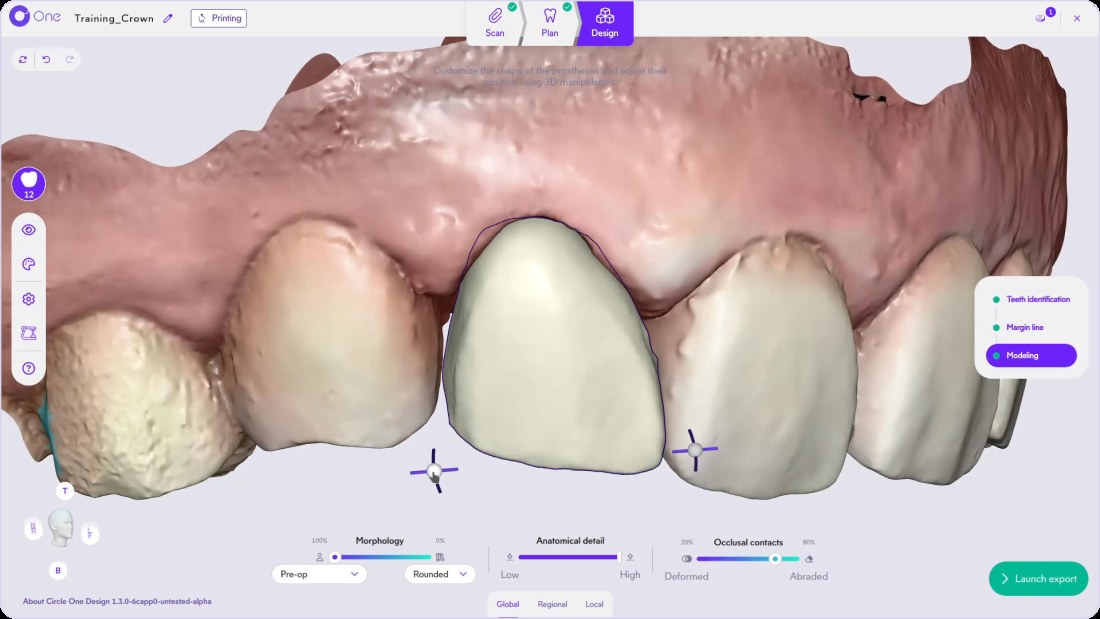
What is dental crown design software?
Dental crown design software turns the intraoral scan of a prepared tooth into a 3D crown file that your mill or 3D printer can produce. Circle One proposes the crown automatically from the scan, then you check the margin line, refine the shape and export the file in the same visit.
Read the crown workflow in the Help CenterHow to design a dental crown in 5 steps
The same steps as in the Help Center, from the scan to the file for your machine.
- 1
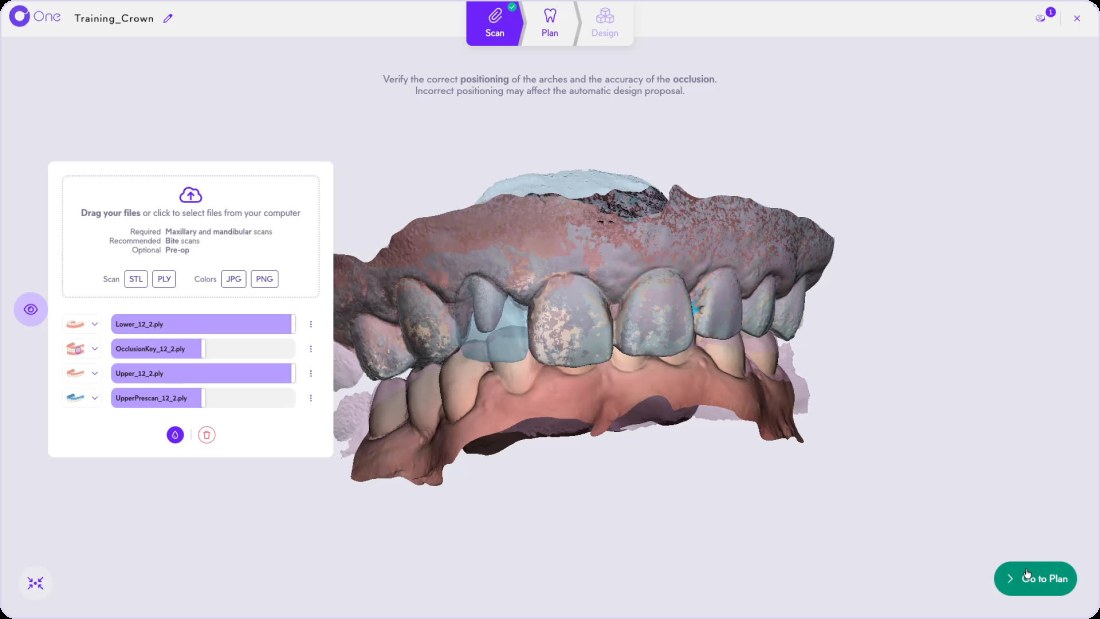
Import and check your scans
Send the case from your scanner in one click, or drag your STL or PLY files. Check the maxillary, mandibular and bite scans in the viewer. Connect your scanner
TipA pre-op scan is optional. Add it to copy the original tooth.
- 2
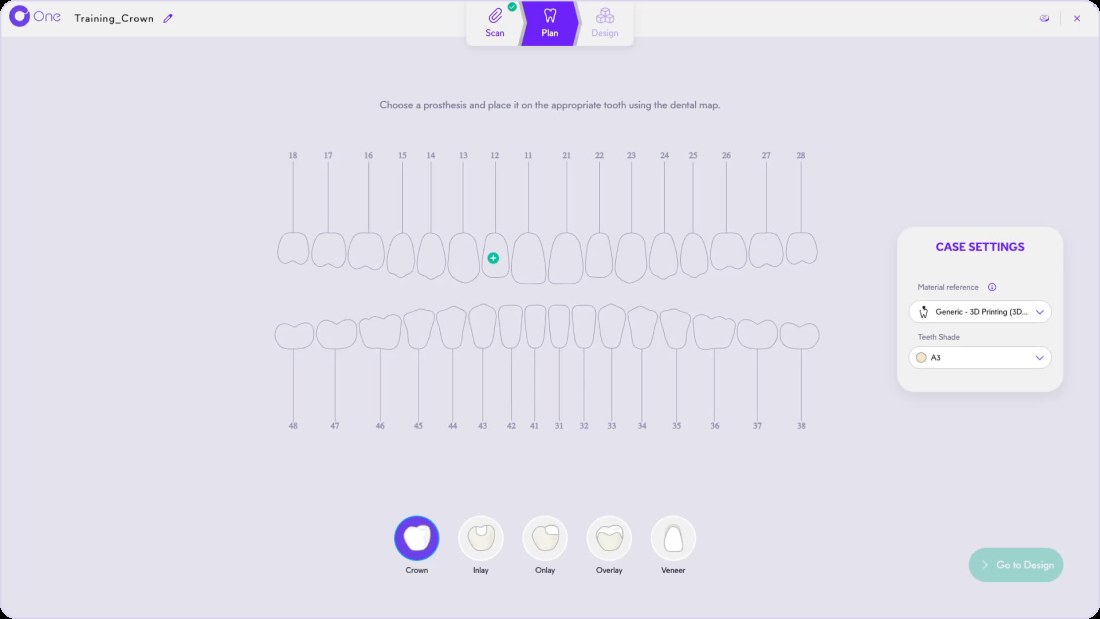
Choose the crown on the dental map
In Plan, select Crown, click the tooth, then check the material and shade. One Circle Credit is added per crown.
- 3
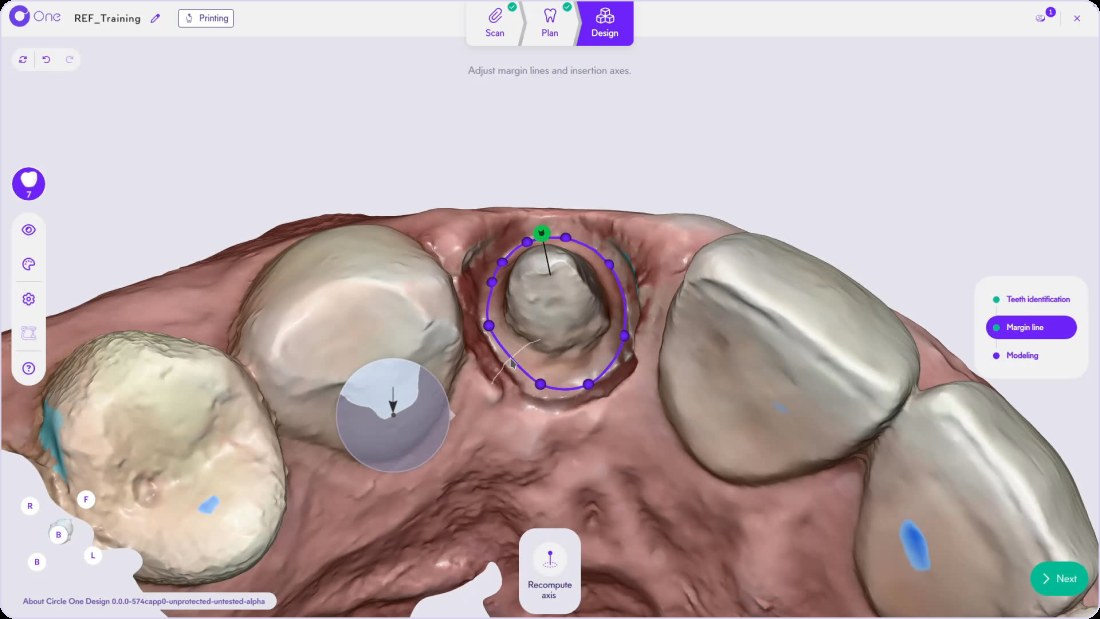
Validate the margin line
Circle One identifies the prepared, proximal and symmetric teeth, then proposes the margin line and the insertion axis. Move a point if needed.
TipA green handle means an insertion axis with no undercut. Margin line article
- 4
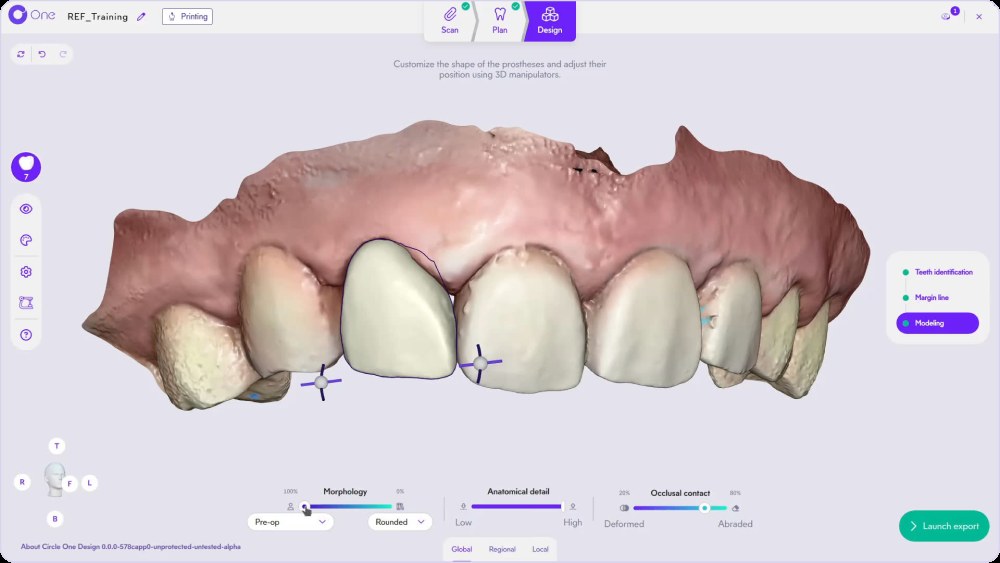
Refine with smart tools
Adjust Morphology, Anatomical detail and Occlusal contacts with sliders, then switch to Regional and Local for finer changes. Discover the smart tools
- 5
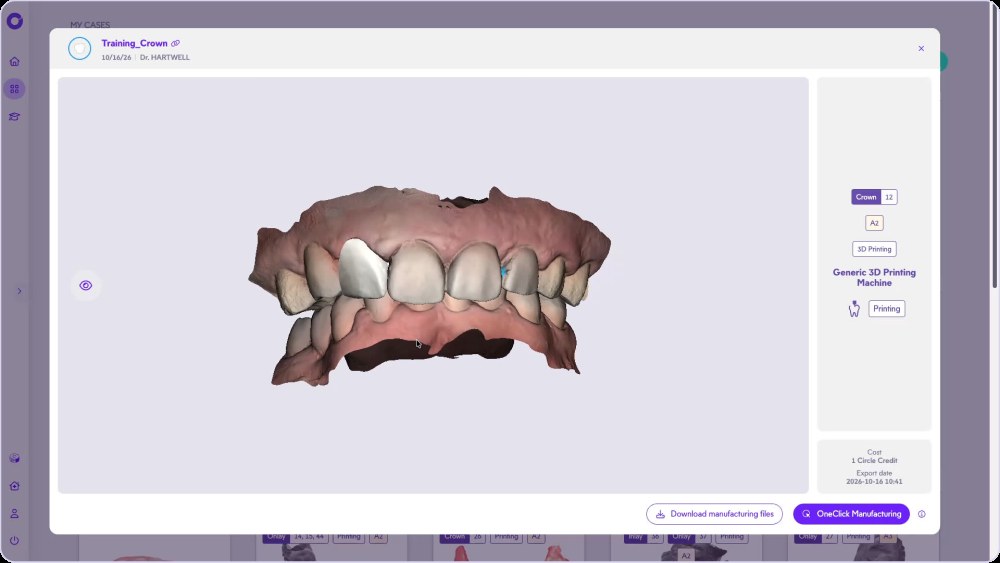
Export to your mill or 3D printer
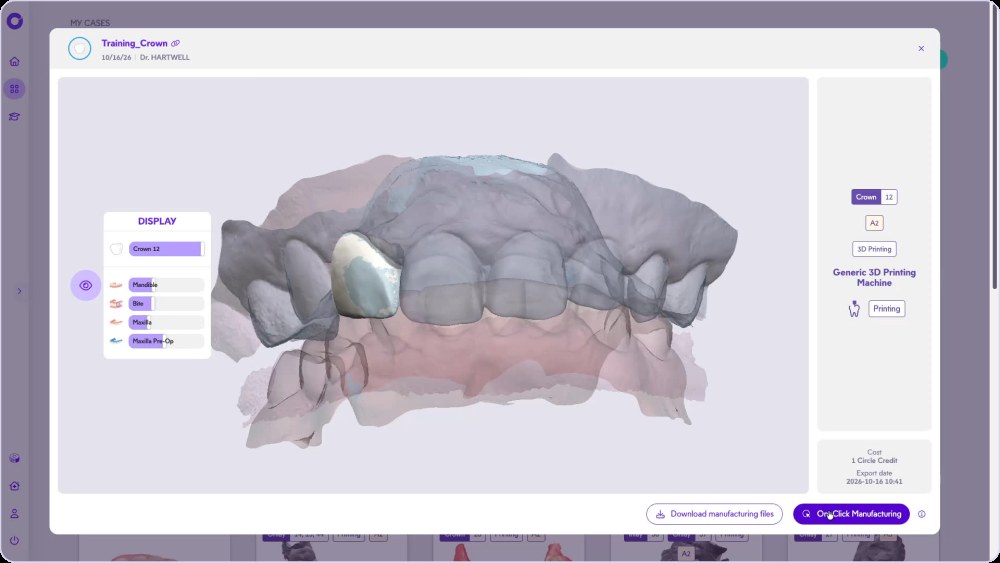
Launch the export, check the summary, generate the files. Download them, or send them with OneClick Manufacturing.
Everything a crown needs, in one workflow
A margin line you can check
Proposed on the prep, with magnetized segments and a magnifier to place each point.
Occlusion checked before export
Occlusal contact slider and virtual articulator, static or dynamic.
Minimum thickness in view
Thin zones appear while you refine, for your material and your machine.
Start from the original tooth
Copy the pre-op scan, the symmetric tooth or the proximal teeth. The 3 copy methods
Several prostheses, one case
Plan crowns, onlays and veneers in the same case. Multiple teeth
Pay per crown
1 Circle Credit per prosthesis, used when you validate. No subscription. See Circle Credits
From the prep to the seated crown, in one visit
A same-day crown needs three things in the practice: a scan, a design and a machine. Circle One is the design step, between the scanner and the mill or 3D printer you already own.
- Automatic proposal, adjusted in under a minute* on average
- Files tailored to your machine and material
- OneClick Manufacturing opens your CAM software
Anterior and posterior crowns: what changes in the design
Design a crown with us, click by click
The full crown workflow, from scan to export, in the real Circle One interface.
Need help? Crown workflow in the Help Center · The chairside workflow
Go further with the crown guides
 Vidéo
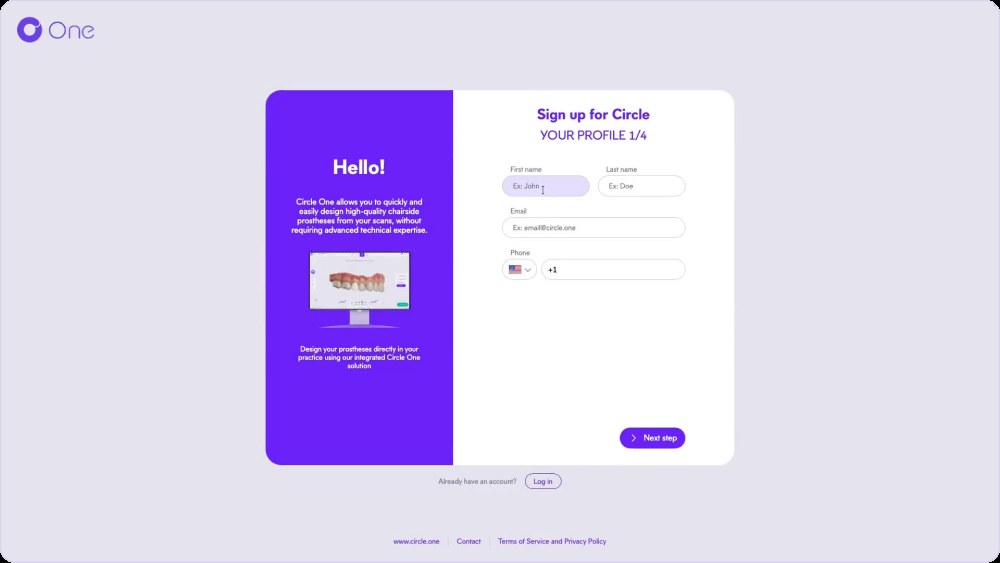
Create your account
Create your account in a few clicks, confirm your email, log in.
help.circle.one › Bien démarrerVidéoArticleCrown design FAQ
How long does it take to design a crown?
Circle One generates the crown proposal automatically. Adjusting it takes under a minute* on average, depending on the case.
Can I do same-day crowns without a dental lab?
Yes, with an intraoral scanner and a chairside mill or 3D printer. Circle One handles the design and the manufacturing file; the scan and the milling or printing stay on your equipment. See chairside dental CAD/CAM.
Which scanners and machines are compatible?
Partner scanners send cases in one click. Other scanners work with STL or PLY files. Files go to your mill or 3D printer, with OneClick Manufacturing for partner machines. Compatibility matrix
How much does a crown design cost?
1 Circle Credit per crown, used when you validate the design. Credits start at 5 for $25, with no subscription. Circle Credits
Do I need CAD experience?
No advanced CAD skills are needed. The proposal is automatic, and the smart tools work with sliders, manipulators and brushes. Collaborative AI
Design your first crown today.
Create your account in a few clicks. 5 credits for $25, no subscription.
1 credit = 1 prosthetic tooth · No subscription · ISO 13485
*Average adjustment time after the automatic design proposal, measured in internal tests.
The whole chairside workflow
Your first chairside crown: 5 credits for $25
Create your account


