
A virtual dental articulator to check occlusion chairside.
Simulate mandibular movements on your design: static occlusion, protrusion, retrusion and laterality, with contacts shown in color before export.
- Included in every case
- No extra module
- In your browser
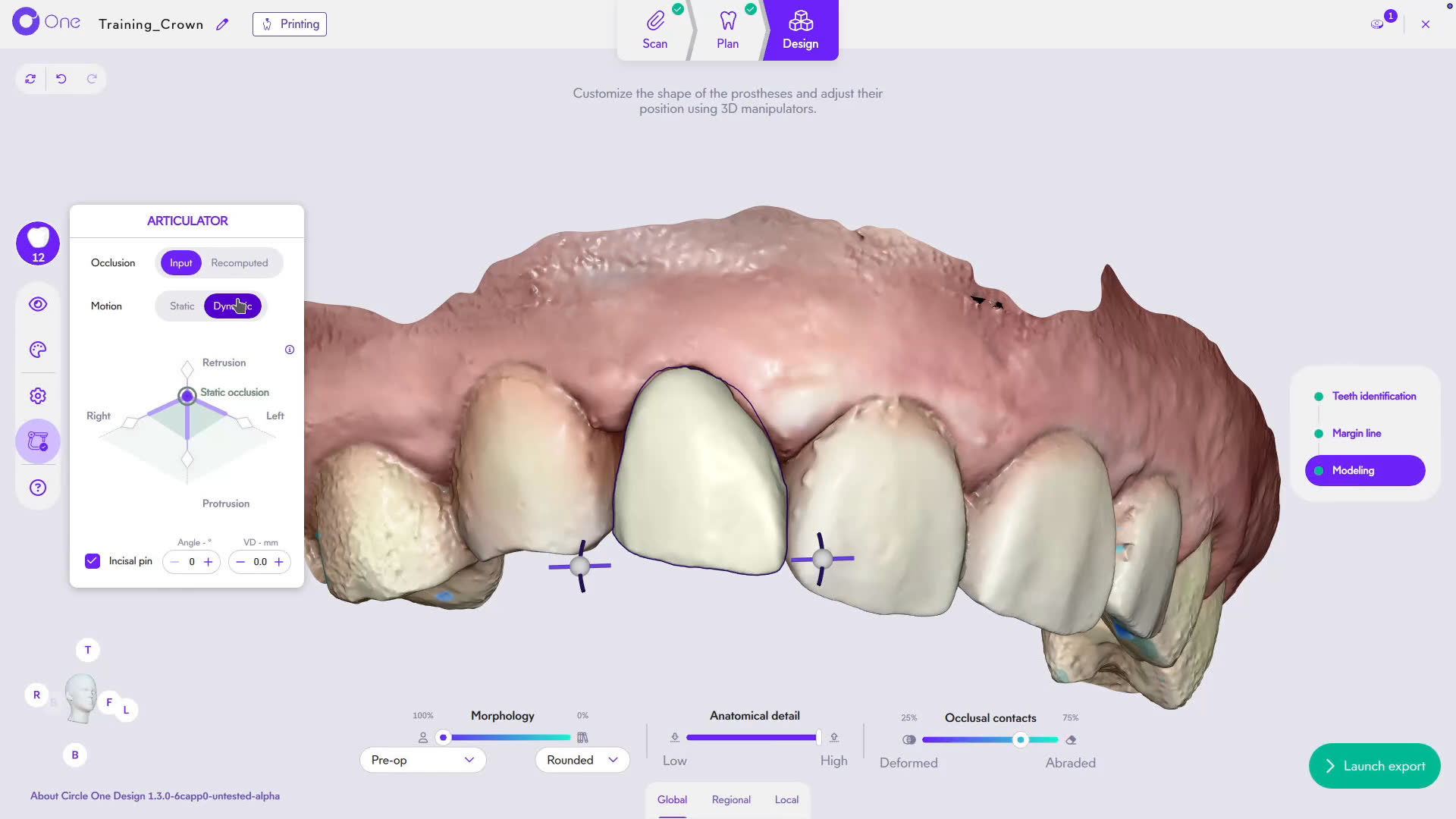
What is a virtual articulator in dentistry?
A virtual articulator reproduces jaw movements on 3D scans, as a mechanical articulator does with stone models. In Circle One, it runs inside the Design step: you check static and dynamic contacts on the crown, onlay or veneer, then adjust before export.
Read the Design step in the Help CenterStatic and dynamic occlusion, in the same panel
Static occlusion
Contacts with the antagonist when the jaw is closed, shown in color on the prosthesis. Adjust them with the contacts slider, from adaptation to abrasion.
- Contact points and intensity
- Interpenetrations
- Proximal contacts
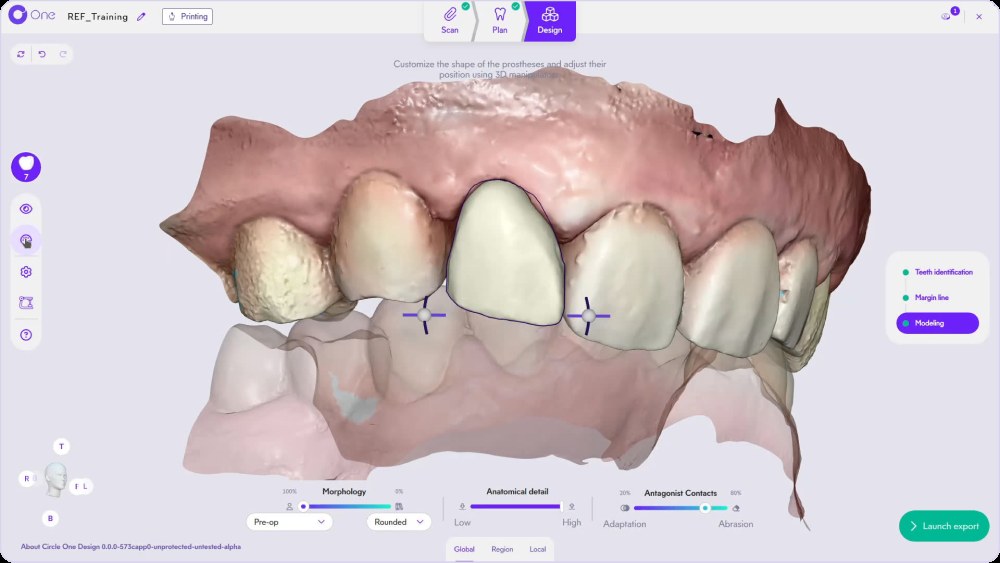
Dynamic motion
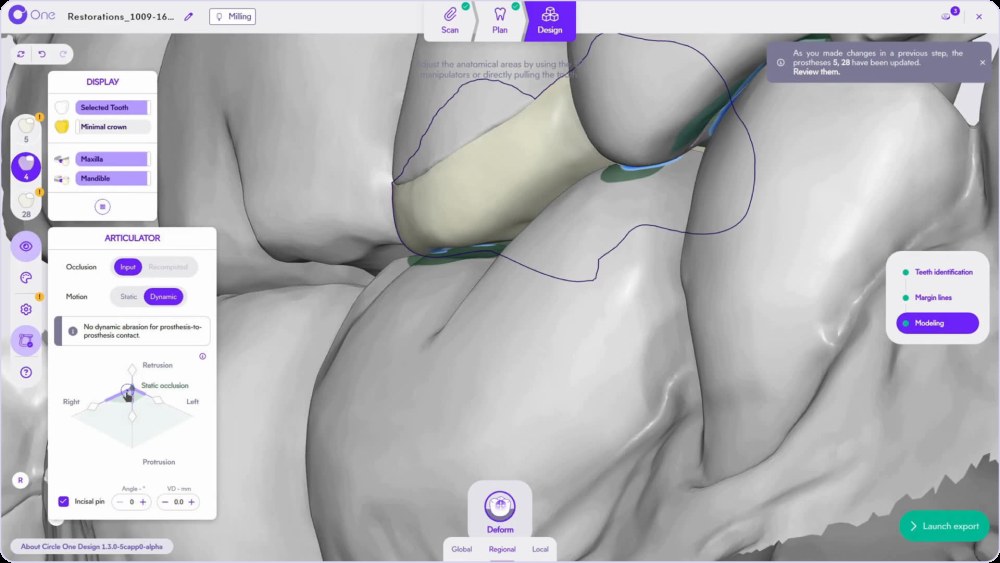
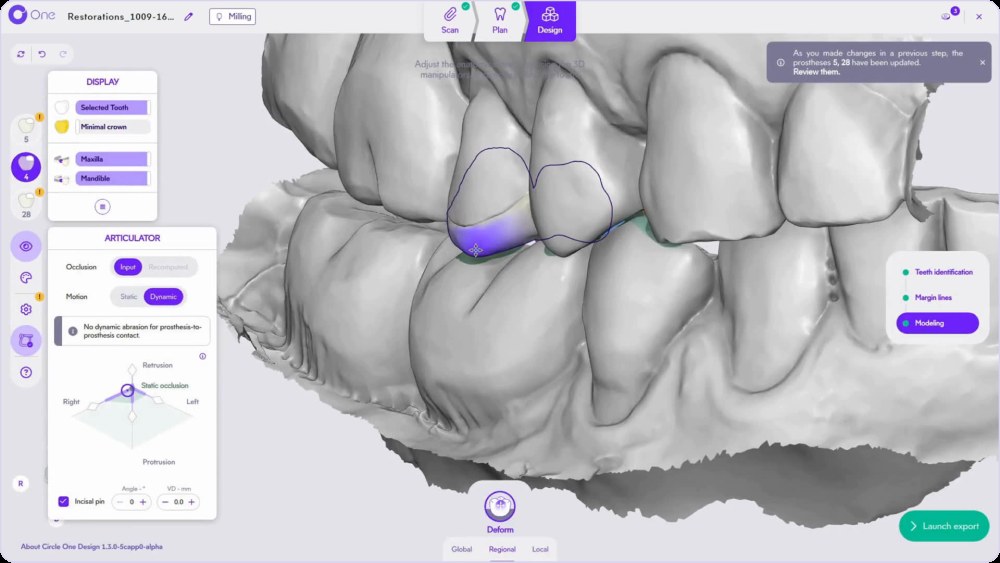
Drag the point on the movement diagram to simulate protrusion, retrusion and laterality. Contacts update as the jaw moves.
- Guidance in protrusion
- Lateral movements
- Contacts on the incisal edge
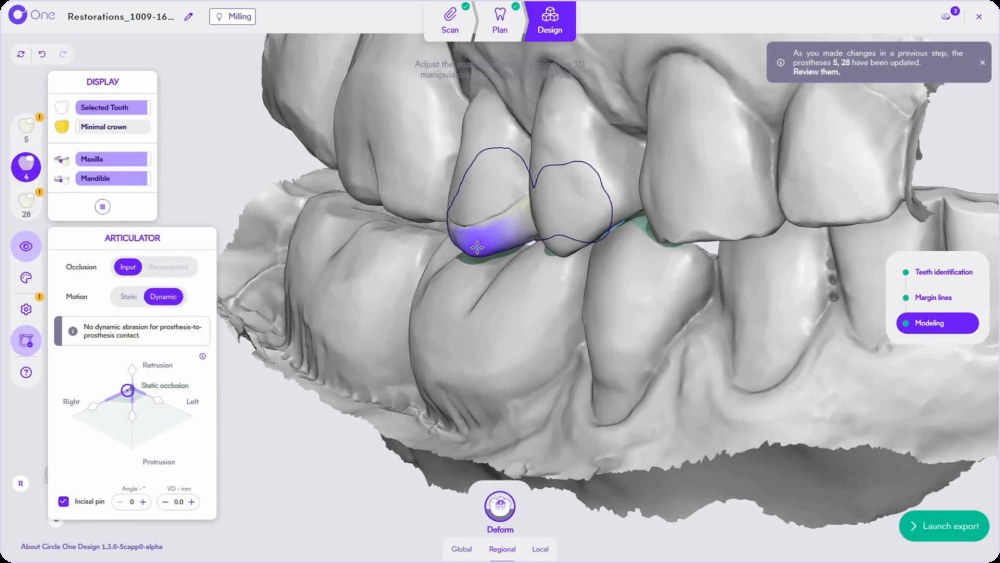
Virtual articulator vs semi-adjustable articulator
How to use the articulator in Circle One
- 1
Open the articulator panel
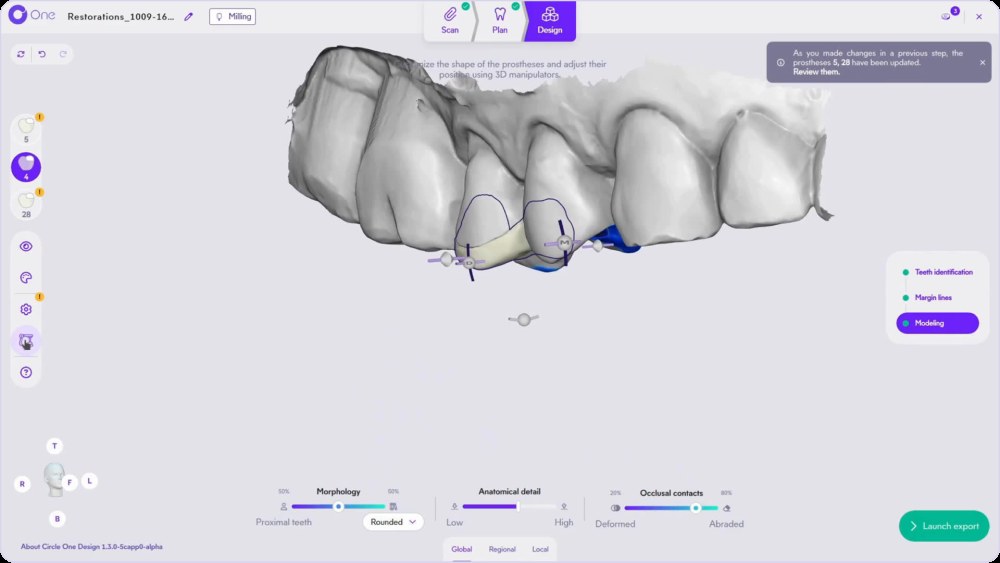
In Modeling, click the articulator icon in the left toolbar.
- 2
Choose static or dynamic
Static shows the contacts in occlusion. Dynamic simulates the movements of the jaw.
- 3
Drag on the movement diagram
Move toward Protrusion, Retrusion, Right or Left. Set the incisal pin, the angle and the VD if needed.
- 4
Adjust, then run it again
Rework the area with the Deform tool or the contacts slider of the smart tools, then run a new simulation to validate.
TipNo dynamic abrasion is applied between two prostheses.
Occlusion terms, in plain words
Static occlusion
Contacts between the upper and lower teeth when the jaw is closed.
Protrusion
Forward movement of the lower jaw.
Retrusion
Backward movement of the lower jaw.
Laterality
Sideways movement of the lower jaw, to the right or the left.
Incisal pin
Guide that sets the vertical opening of an articulator.
Vertical dimension (VD)
Distance between the jaws at a given position.
Check the bite, click by click
Nearest demo available. A dedicated articulator demo is planned.
Go further: Smart tools: refine in 3 levels · Veneers and protrusion
Virtual articulator FAQ
Is the virtual articulator included?
Yes. It is part of the Design step for every prosthesis, with no extra module.
Do I need a facebow or extra records?
No. The articulator works on your intraoral scans and the bite scan. Connect your scanner
Which prostheses can I check?
Crowns, onlays and veneers, including several prostheses in the same case. Several teeth, one case
Can I see the contacts in color?
Yes. The colormap shows or hides the contacts and the minimum thickness.
Check the bite before it reaches the chair.
Create your account in a few clicks. 5 credits for $25, no subscription.
1 credit = 1 prosthetic tooth · No subscription · ISO 13485
*Average adjustment time after the automatic design proposal, measured in internal tests.
The whole chairside workflow
Check the bite before the chair, no extra module
Create your account


