
Veneer design, chairside: from the prep scan to the file.
Select the veneers on the dental map, get an automatic proposal, check every margin and test protrusion with the virtual articulator.
- 1 credit per veneer
- No subscription
- In your browser
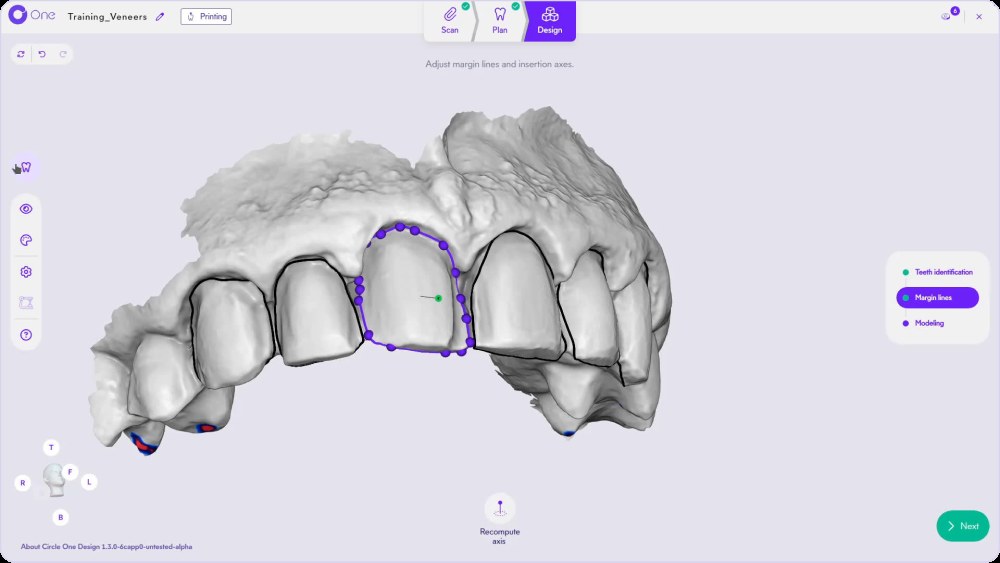
What is veneer design software?
Veneer design software creates the 3D shape of each veneer from the scan of the prepared teeth, ready to be milled or printed. With Circle One, you select the veneers on the dental map, get an automatic proposal, check every margin line and export the files chairside.
Read the veneer workflow in the Help CenterWhat your veneer prep scan should show
Veneer preparation is a clinical decision. The design is faster when the scan makes it easy to read.
- Maxillary and mandibular scans, full arch
- A bite scan to place the antagonist
- A clear finish line on every prepared tooth
- Adjacent and symmetric teeth visible
- Optional: a pre-op scan, one per arch
- Margins free of moisture and soft tissue
Add the pre-op scan to start from the patient’s original shape: Circle One asks Copy or prediction when the proposal opens. The 3 copy methods
How to design veneers in Circle One
- 1
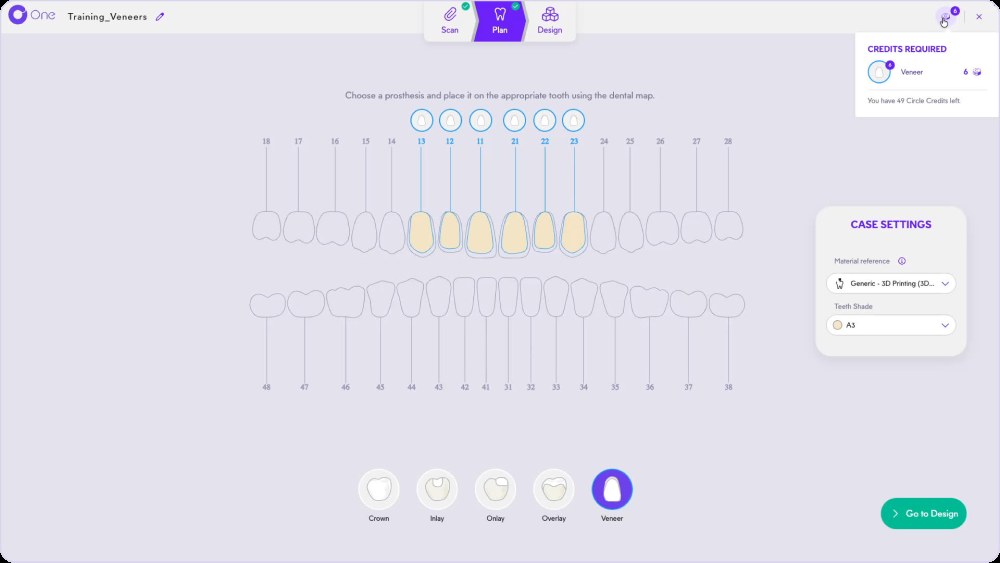
Select the veneers on the map
In Plan, choose Veneer and click each tooth. The credits required appear before you start.
- 2
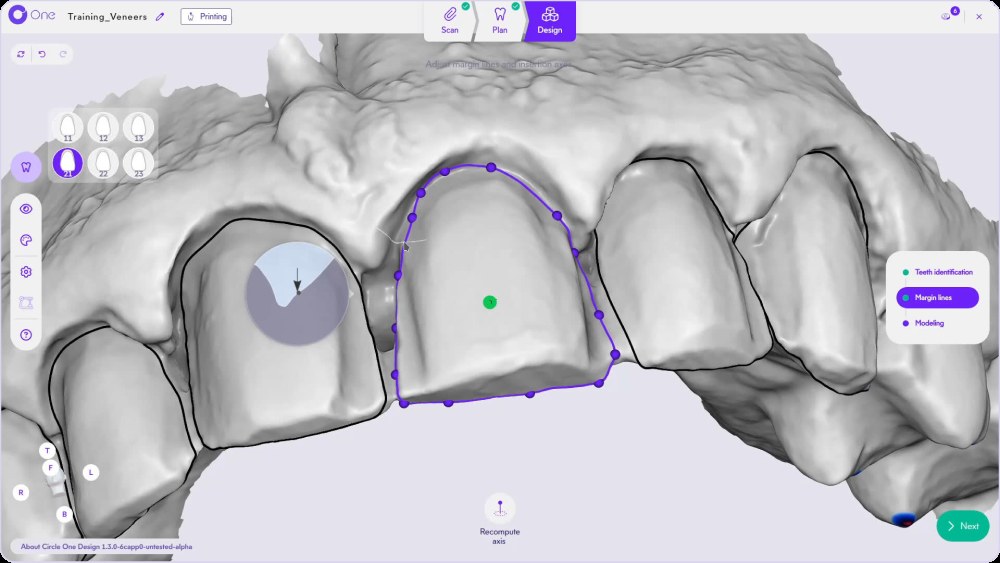
Check each margin line
Pick a veneer in the side panel, then adjust its margin with the points and the magnifier. Margin line
TipTurn on magnetization to move a whole segment in one motion.
- 3
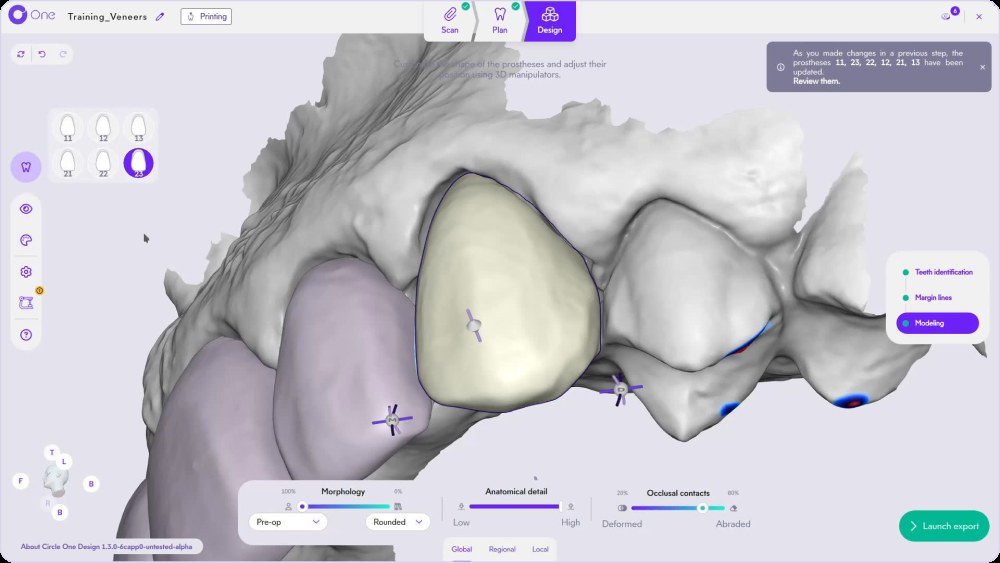
Review the automatic proposal
Circle One proposes every veneer from your scans and your design preferences.
- 4
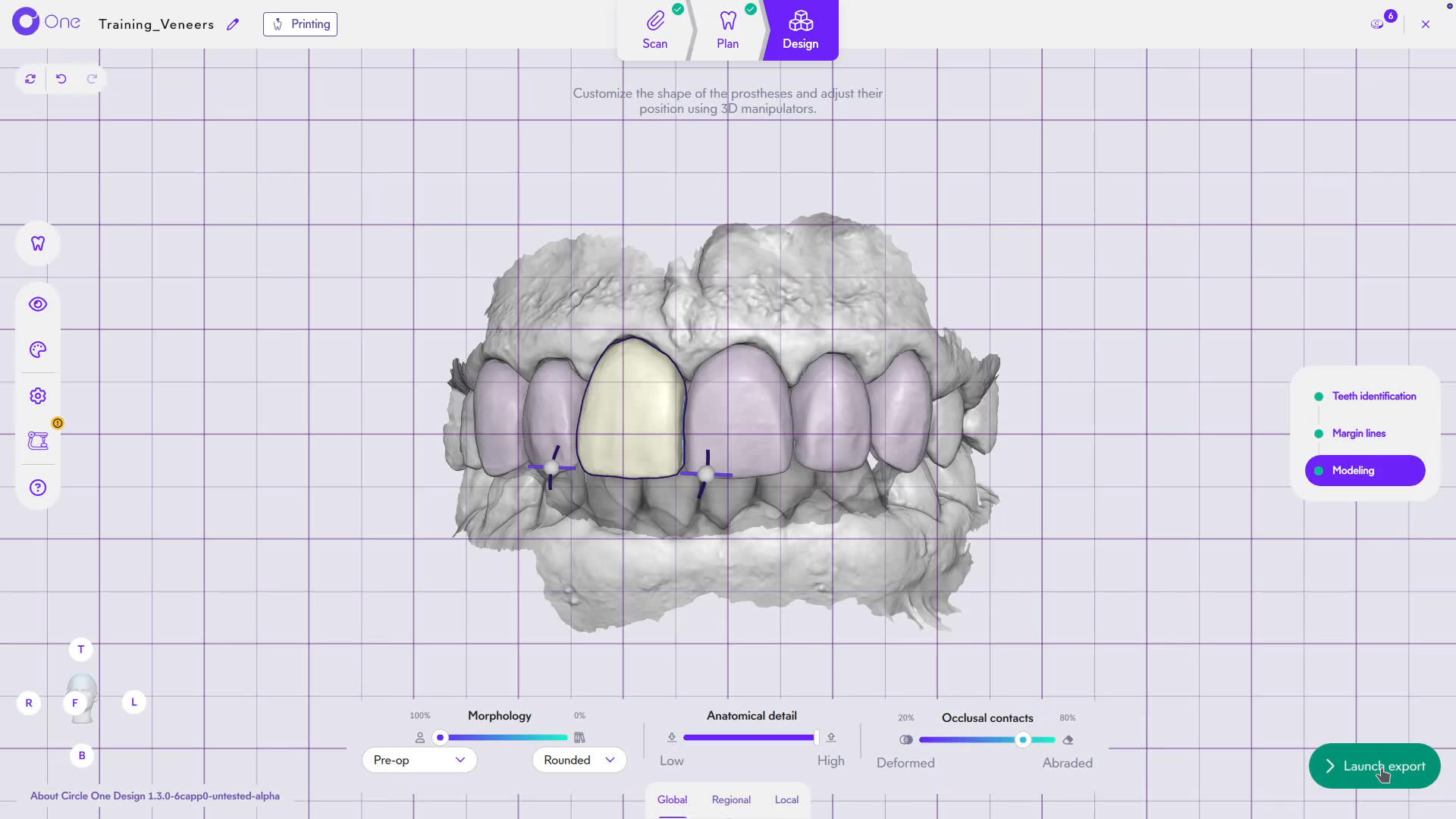
Refine the incisal edge
Use Morphology, Anatomical detail and Occlusal contacts, then the Local brushes: Smooth, Carve, Add and Pull. The smart tools
- 5
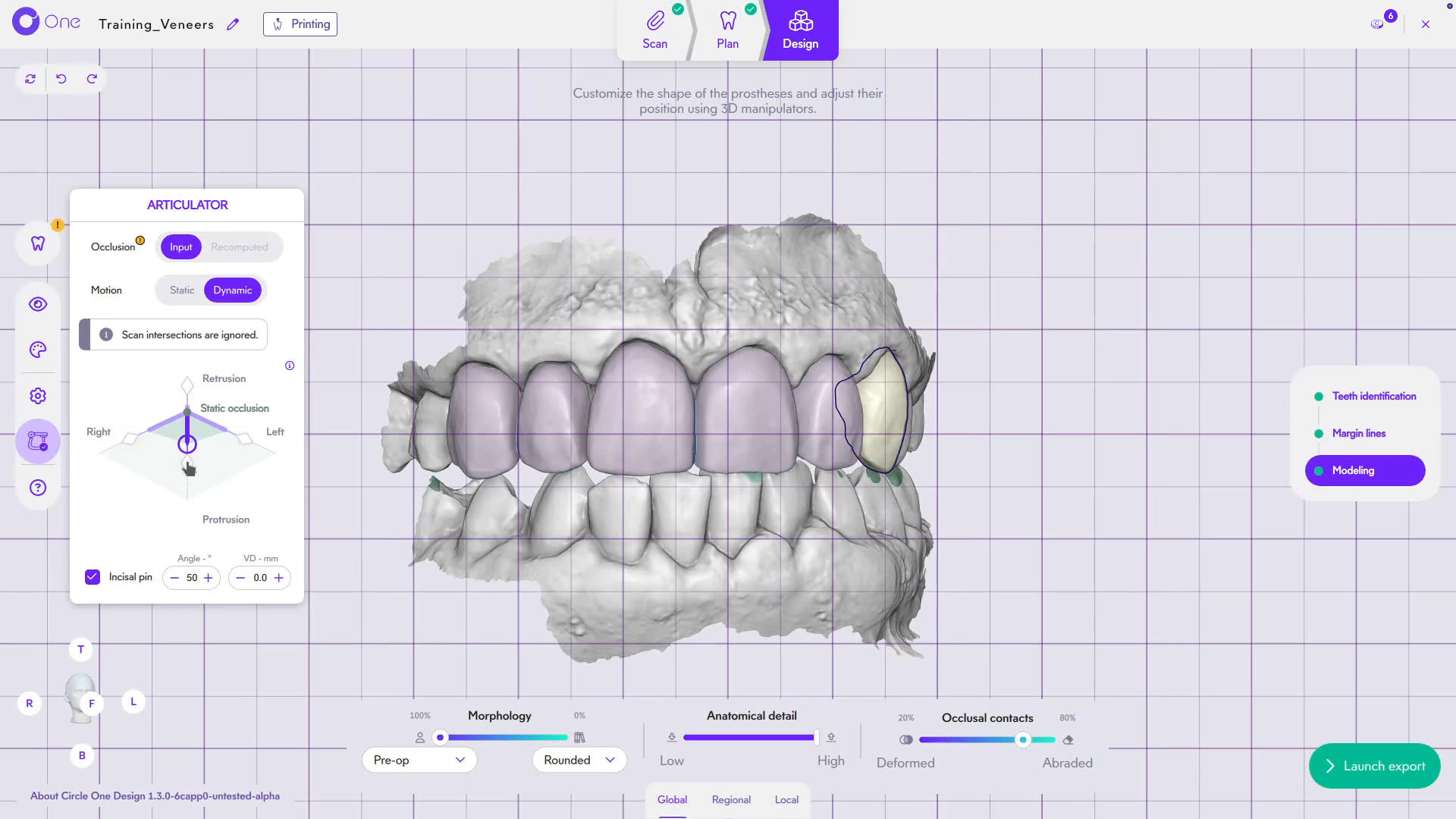
Test protrusion, then export
Switch the articulator to Dynamic to simulate protrusion and laterality, then launch the export.
TipNo dynamic abrasion is applied between two prostheses.
Smile design shows the result. Veneer design builds it.
Two different tools, used at two different moments of the treatment.
Six veneers, one case, click by click
The full veneer workflow, from plan to export.
Need help? Veneer workflow in the Help Center · Several teeth, one case
Veneer design FAQ
How many veneers can I design in one case?
As many as you plan. Select every tooth in Plan; each veneer uses 1 Circle Credit. Several teeth, one case
Can I start from the patient’s original teeth?
Yes. Upload a pre-op scan and choose Copy, or start from the symmetric tooth or the proximal teeth. Copy a tooth: 3 methods
Does the software check the occlusion on veneers?
Yes. The virtual articulator simulates static occlusion, protrusion, retrusion and laterality before export.
Which materials and machines can I use?
Choose the material reference and the shade in Plan. Files are generated for the mill or 3D printer set up in your practice. Compatibility
Your next veneer case, designed chairside.
Create your account in a few clicks. 5 credits for $25, no subscription.
1 credit = 1 prosthetic tooth · No subscription · ISO 13485
*Average adjustment time after the automatic design proposal, measured in internal tests.
The whole chairside workflow
Your next veneer case, designed chairside
Create your account


