
Dental onlay design, chairside: from the prep to the file.
Choose Onlay on the dental map, get a proposal fitted to the prep, check the margin and the contacts, then send the file to your machine.
- 1 credit per onlay
- No subscription
- In your browser
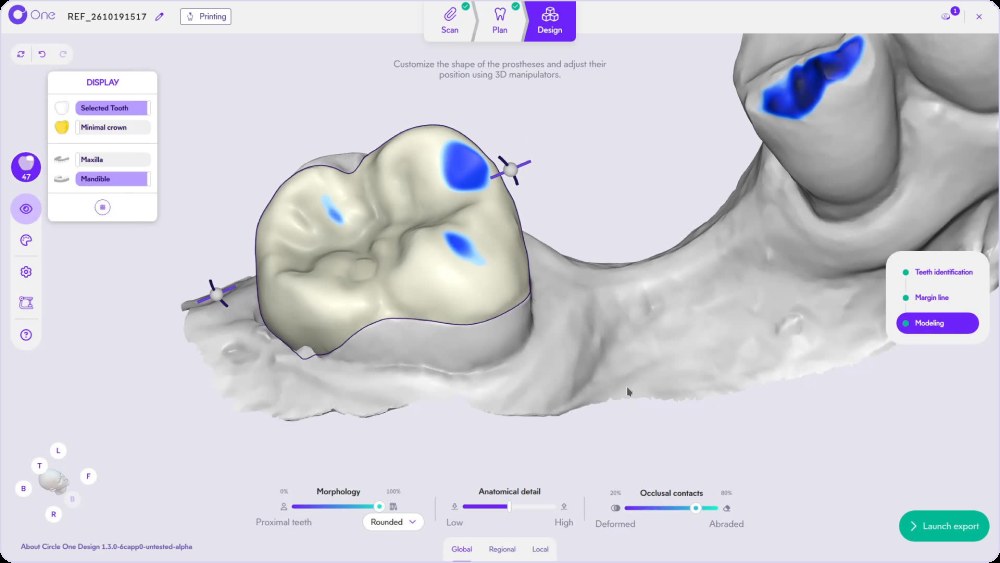
What is a dental onlay?
A dental onlay is a partial restoration that replaces one or more cusps of a tooth while keeping the healthy structure, between an inlay and a full crown. In Circle One, you design it chairside: select Onlay on the dental map, check the margin line on the prep and the occlusal contacts, then export the file.
Read the onlay workflow in the Help CenterOnlay vs crown: what changes in the design
What your onlay prep scan should show
The preparation is a clinical decision. The design is faster when the scan makes it easy to read.
- Maxillary and mandibular scans
- A bite scan to place the antagonist
- Clear cavity walls and finish line
- Proximal teeth visible on both sides
- No moisture or debris on the margin
- Optional: a pre-op scan
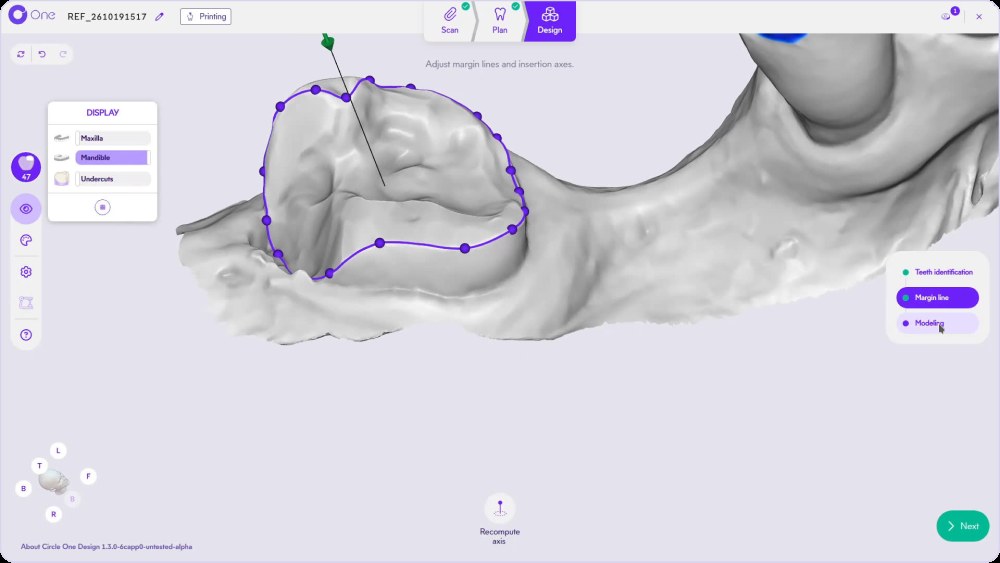
Undercuts appear during the margin step: a green handle means an insertion axis with no undercut. Margin line article
How to design an onlay in Circle One
- 1
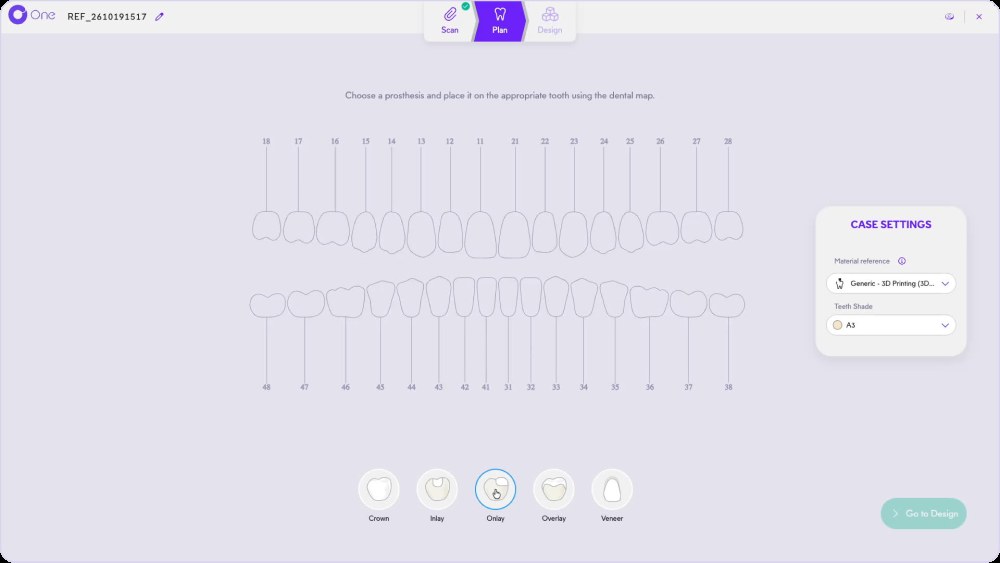
Choose Onlay on the dental map
In Plan, pick Onlay among Crown, Inlay, Onlay, Overlay and Veneer, then click the tooth. Check the material and the shade. Step · Plan
- 2
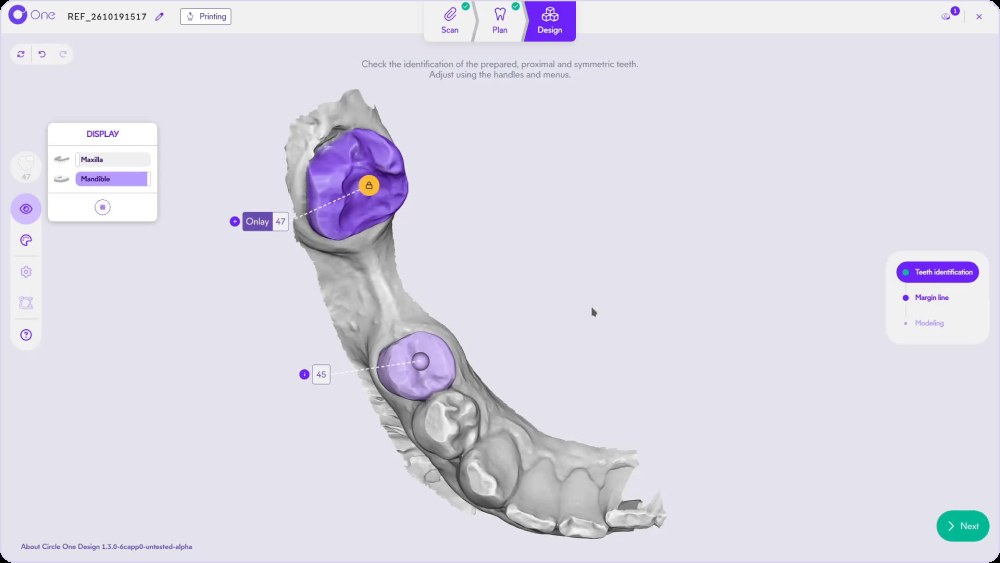
Check the teeth identification
Make sure the prepped tooth, the proximal teeth and the opposite tooth are correctly detected. Teeth identification
- 3
Validate the margin line
Circle One proposes the margin on the prep. Move a point, magnetize a segment, recompute the axis if needed.
TipTurn on Undercuts in the Display panel to check the insertion axis.
- 4
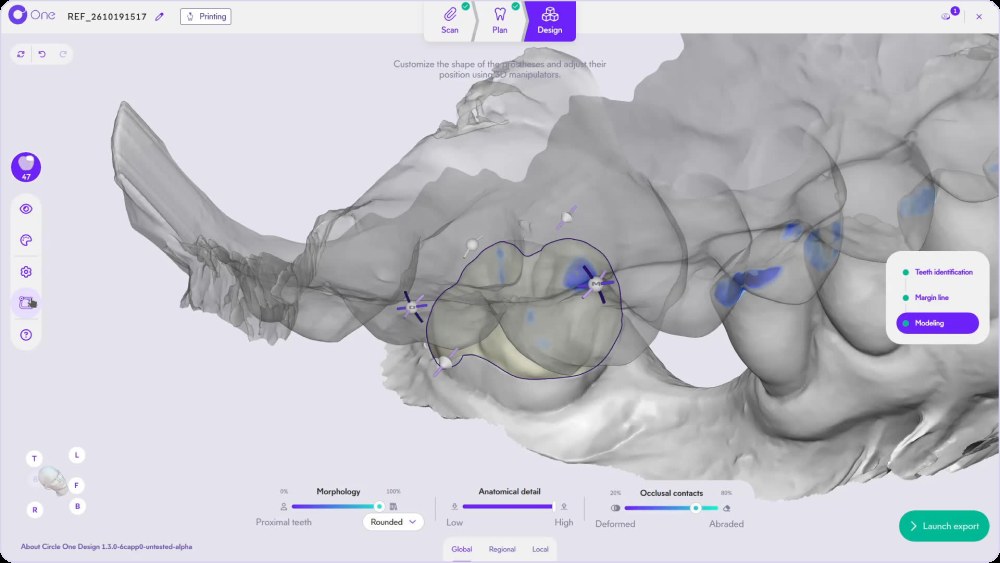
Refine and check the occlusion
Adjust Morphology, Anatomical detail and Occlusal contacts with the smart tools, then test the bite with the virtual articulator.
- 5
Export the file
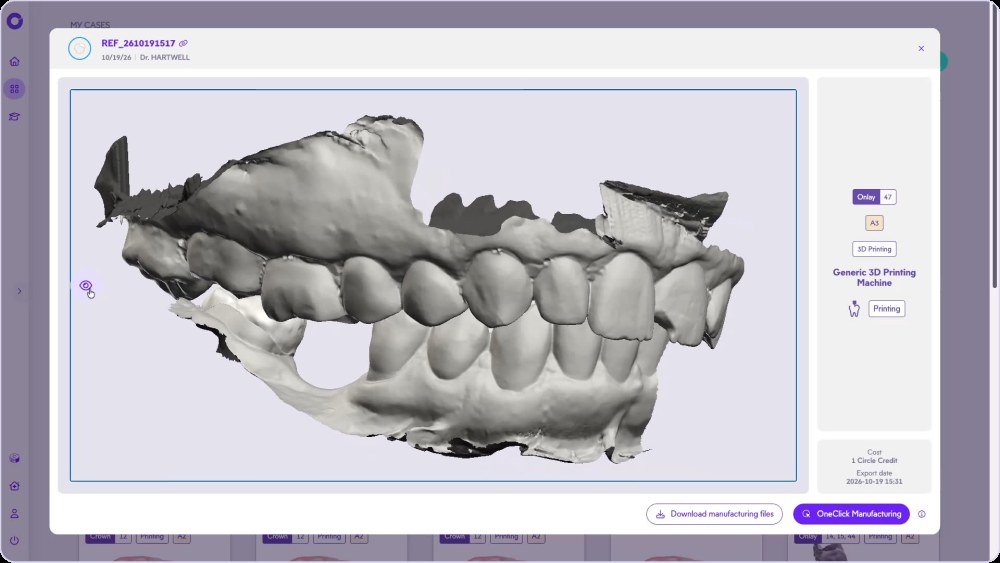
Launch the export, check the summary, then download the file or use OneClick Manufacturing.
Design an onlay, click by click
The full onlay workflow, from plan to export, in the Circle One interface.
Need help? Onlay workflow in the Help Center · The chairside workflow
Onlay design FAQ
What is the difference between an inlay and an onlay?
An inlay stays inside the cusps; an onlay covers one or more cusps. Both are available on the Circle One dental map.
Onlay vs crown: which one should I choose?
It is a clinical decision. In Circle One, both use the same workflow and cost 1 credit each. Crown design
Can I design several onlays in one case?
Yes. Add every tooth in Plan; each onlay uses 1 credit. Several teeth, one case
Can I mill or 3D print an onlay?
Files are generated for the mill or 3D printer and the material set up in your practice. Compatibility matrix
Design your first onlay chairside.
Create your account in a few clicks. 5 credits for $25, no subscription.
1 credit = 1 prosthetic tooth · No subscription · ISO 13485
*Average adjustment time after the automatic design proposal, measured in internal tests.
The whole chairside workflow
Design your first onlay chairside, no subscription
Create your account


