
Chairside software: prosthesis design in one visit.
Crowns, onlays, inlays and veneers designed chairside, in your browser. Open to your scanner and your machine. Dental CAD/CAM explained
- 1 credit per prosthetic tooth
- No subscription
- ISO 13485
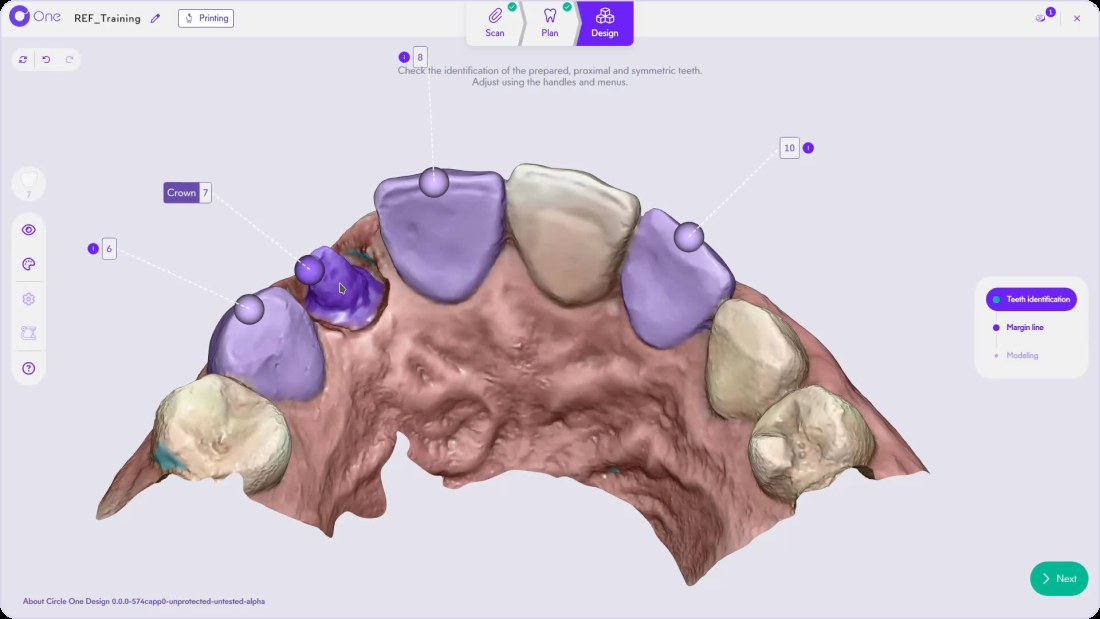
What is chairside software?
Chairside software lets the dentist design a prosthesis in the practice, during the visit, from the optical impression. Circle One runs in the browser: it proposes the prosthesis automatically, you refine it, then you send the files to your mill or 3D printer.
Read the crown workflow in the Help CenterFrom impression to seating, in the same visit
In violet, the steps handled by Circle One.
- 5
Milling or printing
On your mill or 3D printer.
- 6
Seating
In the same visit, depending on the material and the case.
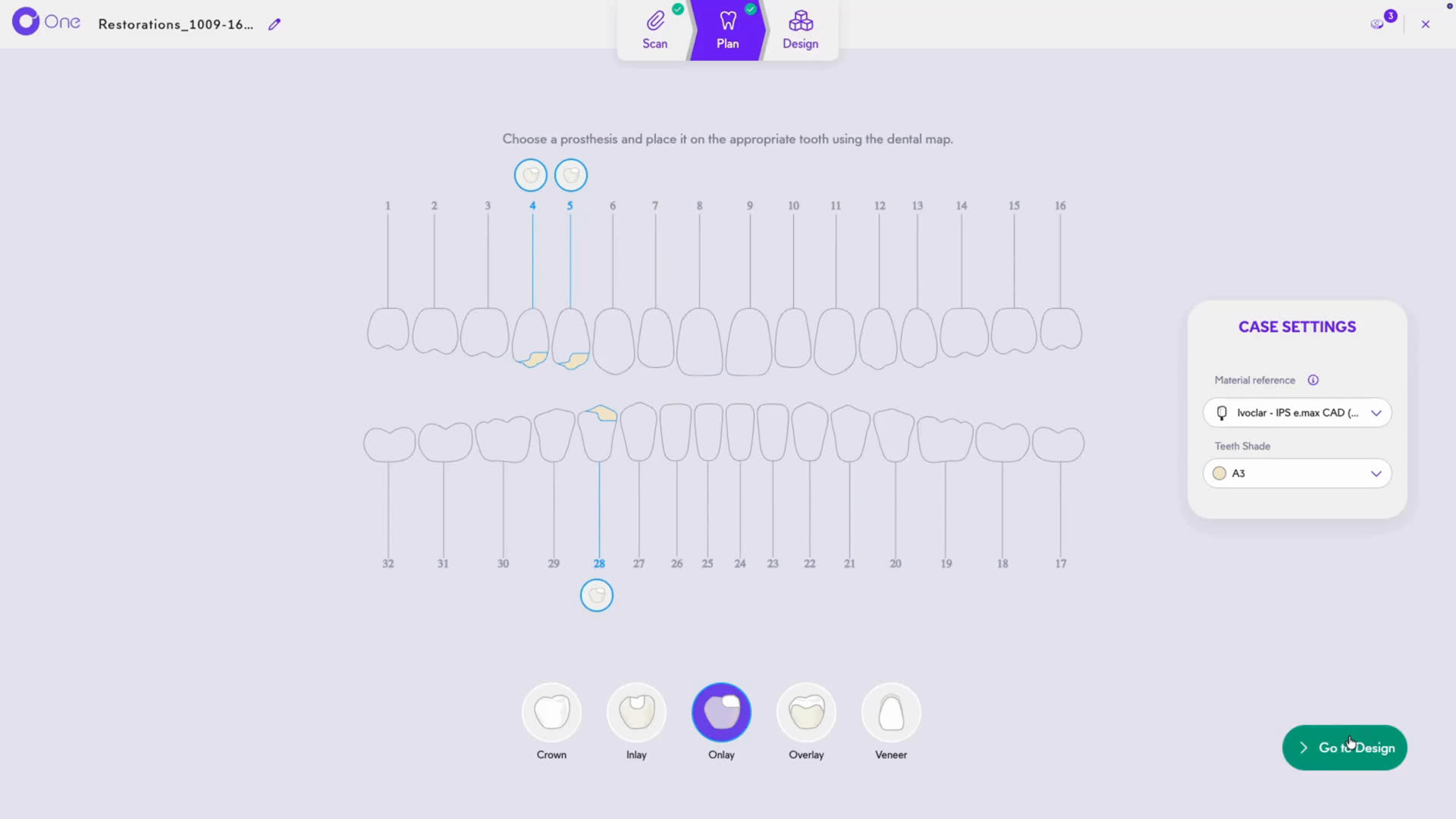
One prosthesis or several, in the same case
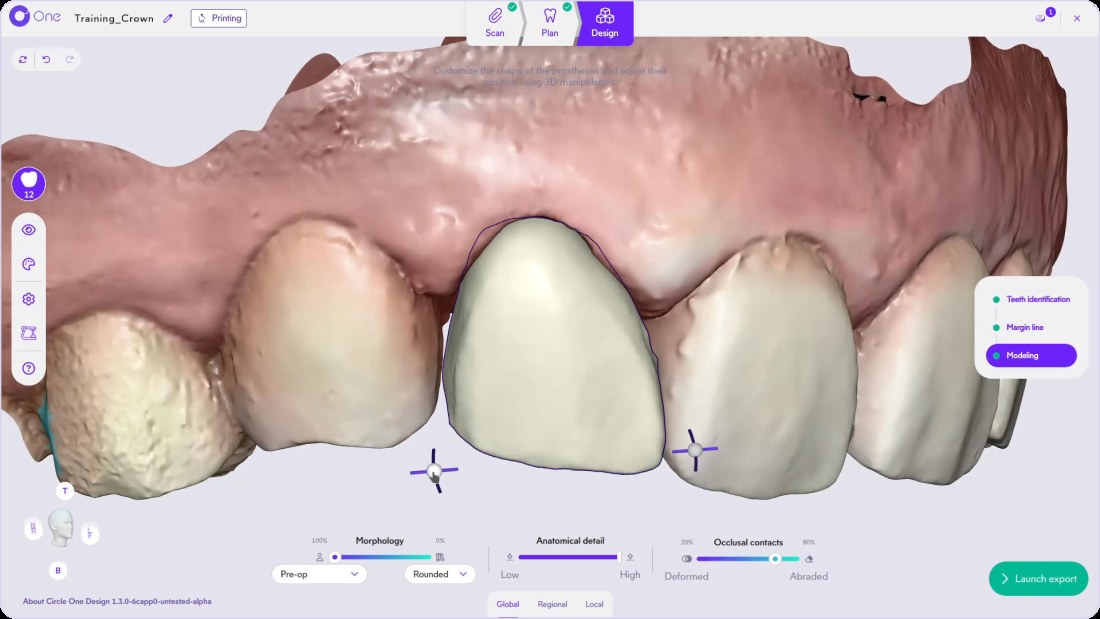
Anterior and posterior crowns
Automatic design proposal, proposed margin line, original tooth copy available, virtual articulator. Crown design
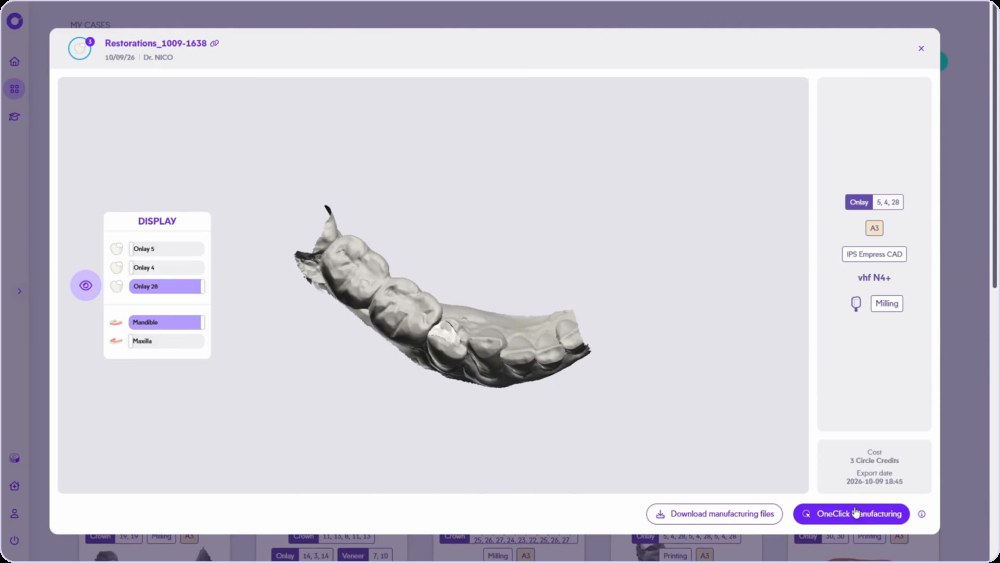
Inlays, onlays and overlays
Several partial restorations in one case, each one checked. Onlay design
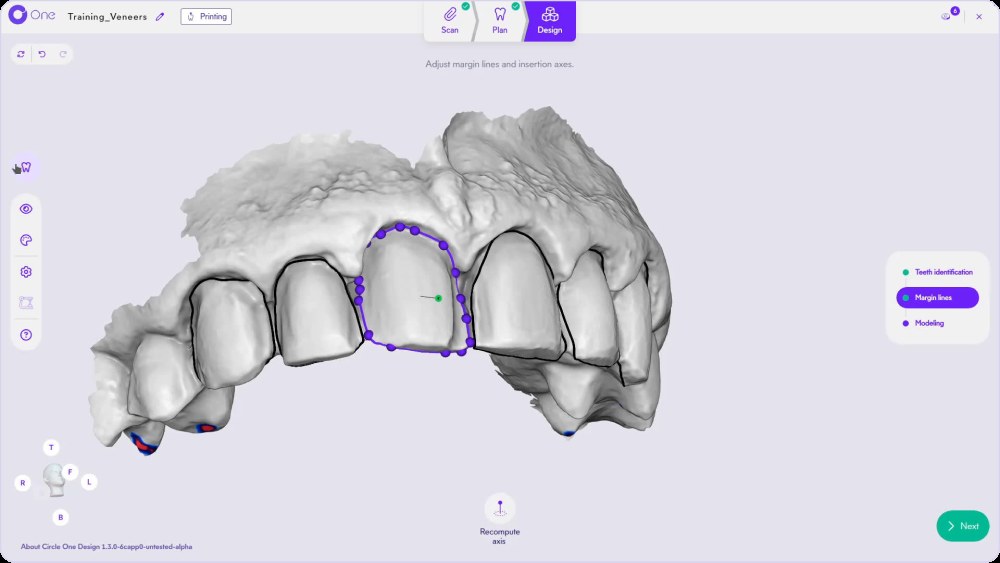
Several prostheses at once
Crowns, onlays and veneers planned on the same dental map. Several teeth, one case
< 1 min*
average adjustment time after the automatic design proposal
1 credit
Per prosthetic tooth. Circle Credits
0
subscription
ISO 13485
certification
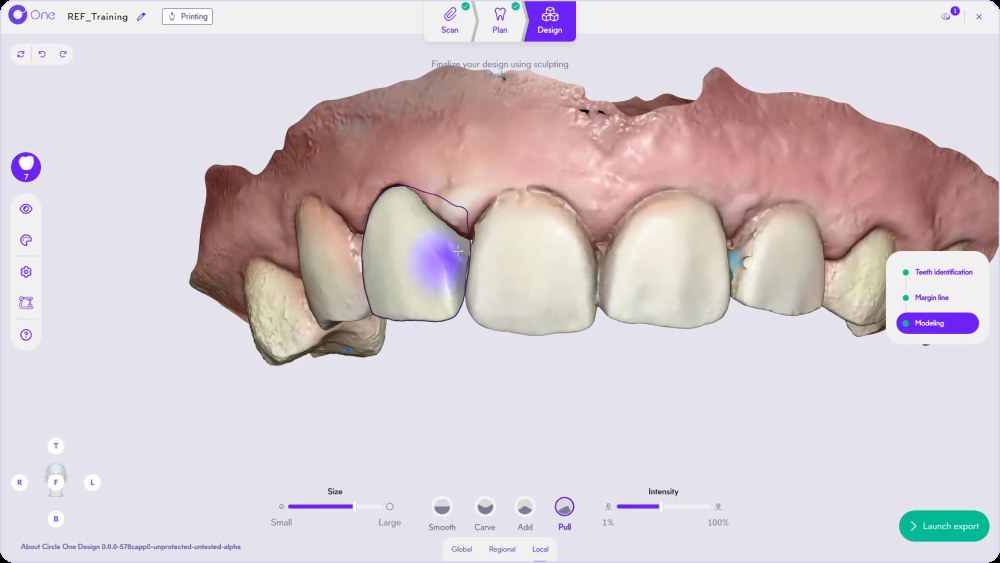
It proposes. You decide.
Every slider and setting stays under your control. With each refinement, clinical constraints are preserved and the minimum thickness zones stay displayed.
- Global, Regional, Local. Smart tools
- Minimum thickness visible
- Real-time preview
A multi-product case, click by click
Several prostheses in one case.
Need help? Multi-product workflow in the Help Center
Chairside software: your questions
Do I need to install software?
No for the design: Circle One runs in your browser. OneClick Manufacturing is installed once to send files to your machine. System requirements
How much does Circle One cost?
You pay per tooth: 1 Circle Credit per prosthetic tooth, no subscription. Circle Credits
Which prostheses can I design?
Crowns, inlays, onlays, overlays and veneers, one or several per case.
Can I keep my scanner and my machine?
Yes. Circle One is open: partner scanners in one click, other scanners via STL or PLY, and files for your mill or 3D printer. Dental CAD/CAM explained
Your next crown, designed chairside.
Create your account in a few clicks. No subscription.
1 credit = 1 prosthetic tooth · No subscription · ISO 13485
*Average adjustment time after the automatic design proposal, measured in internal tests.
The whole chairside workflow
Chairside software, no subscription: 5 credits for $25
Create your account


